
INTRO
In the previous article (windows-containers-network-isolation) we discovered that networking isolation for Windows containers is implemented with help of the compartments (low-level mechanism for the network namespaces).
We also found out that there is a default compartment (ID = 1) presented in the system, and by default every network interface goes to this compartment.
Also we found out the way to create our own compartment and move some network interface to this compartment so it gets isolated in the Windows network stack.
Something almost identical happens when we create a new Windows container - it gets its own network stack isolated within the compartment.
But if in our case we have been moving a network interface that represents real NIC with access to the internet, what is a case for a container? How does traffic from the container reach the internet?
Since a container’s network stack is isolated and can’t cross the boundaries of the compartment, and doesn’t have real NIC, how can we establish connection to the internet?
Let’s figure out:
NAT
Network Address Translation (NAT) allows users to create a private, internal network which shares a public IP address(es).
When a new connection is established, the NAT translates the private (source) IP address assigned to your device to the shared public IP address which is routable on the internet and creates a new entry in the NAT flow state table. When a connection comes back into your network, the public (destination) IP address is translated to the private IP address based on the matching flow state entry.
This same NAT technology and concept can also work with host networking using virtual machine and container endpoints running on a single host. IP addresses from the NAT internal subnet (prefix) can be assigned to VMs, containers, or other services running on this host.
Similar to how the NAT translates the source IP address of a device, NAT can also translate the source IP address of a VM or container to the IP address of a virtual network adapter (Host vNIC) on the host
[ windows-nat-winnat ].
So, it looks like NAT is involved into process that enables to go traffic from an container to the internet.
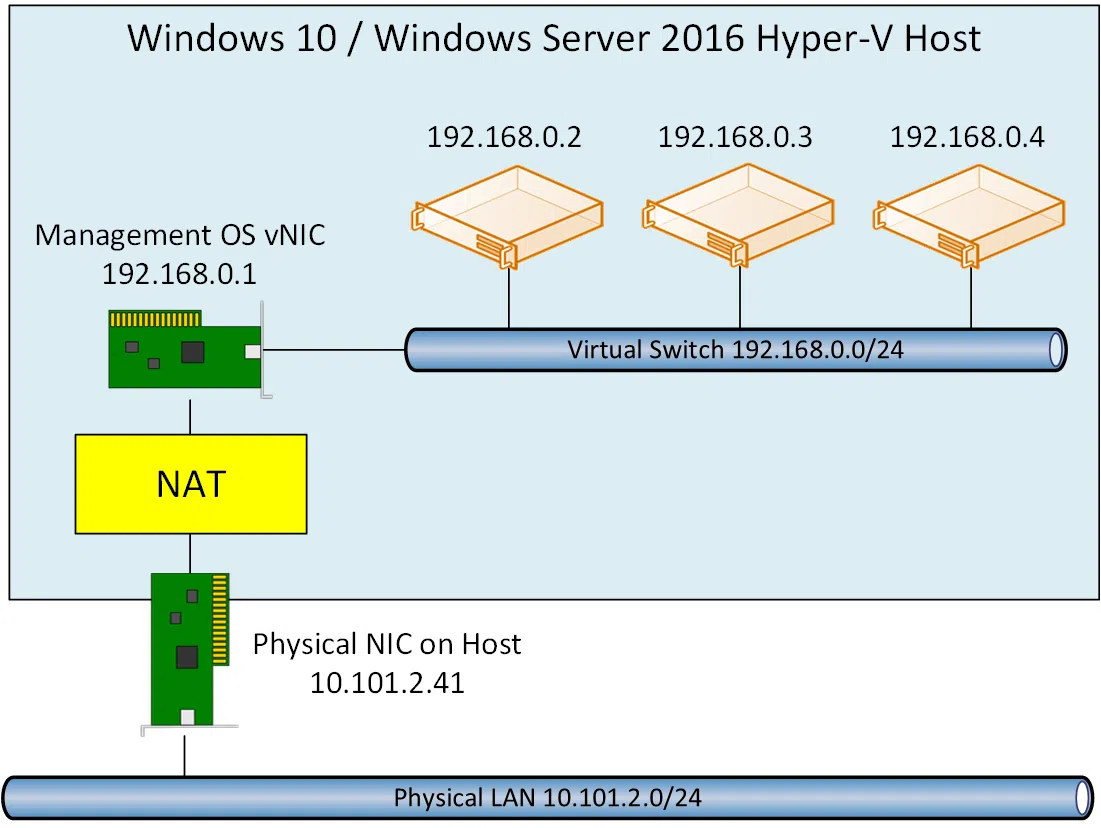
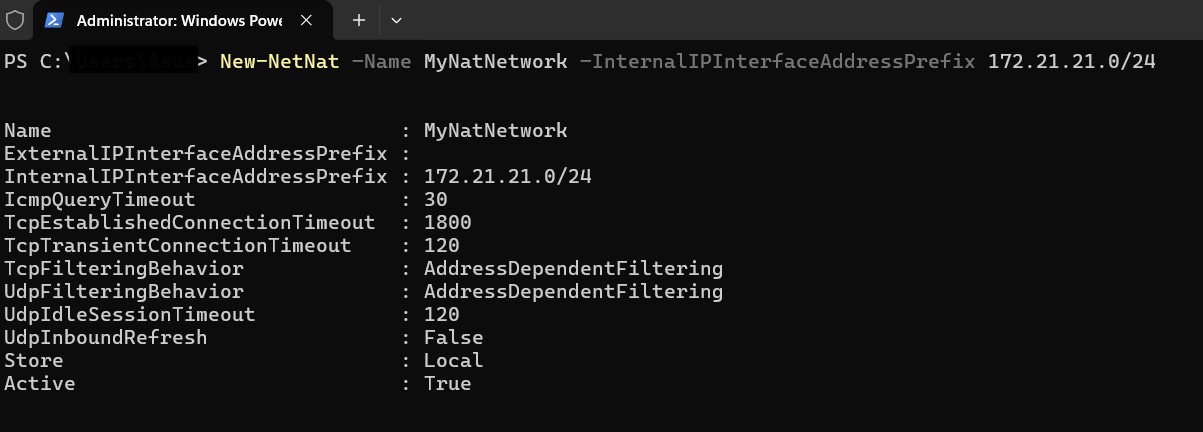
NAT functionality on Windows can be accessed by NetNat powershell cmdlets [ powershell/module/netnat ].
Let’s create our NAT network using New-NetNat cmdlet:
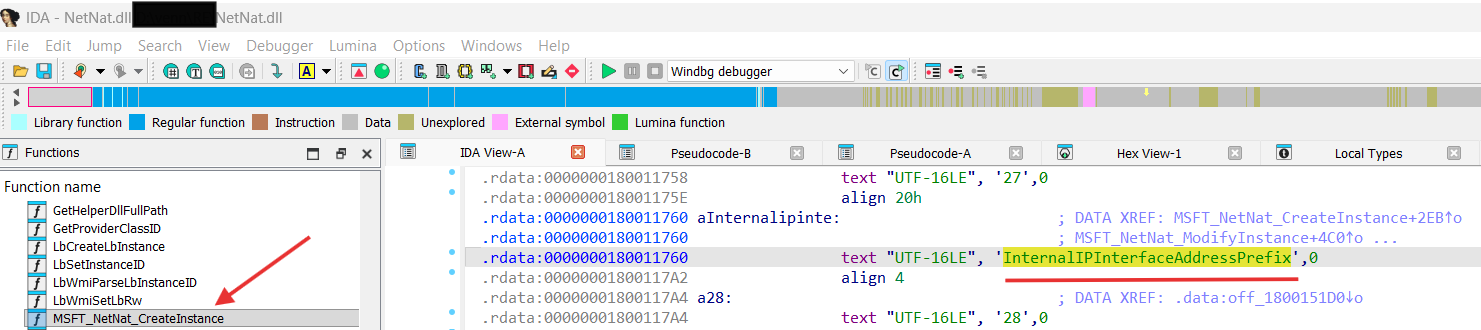
New-NetNat cmdlet is implemented by NetNat.dll in MSFT_NetNat_CreateInstance function:
Let’s analyze MSFT_NetNat_CreateInstance:
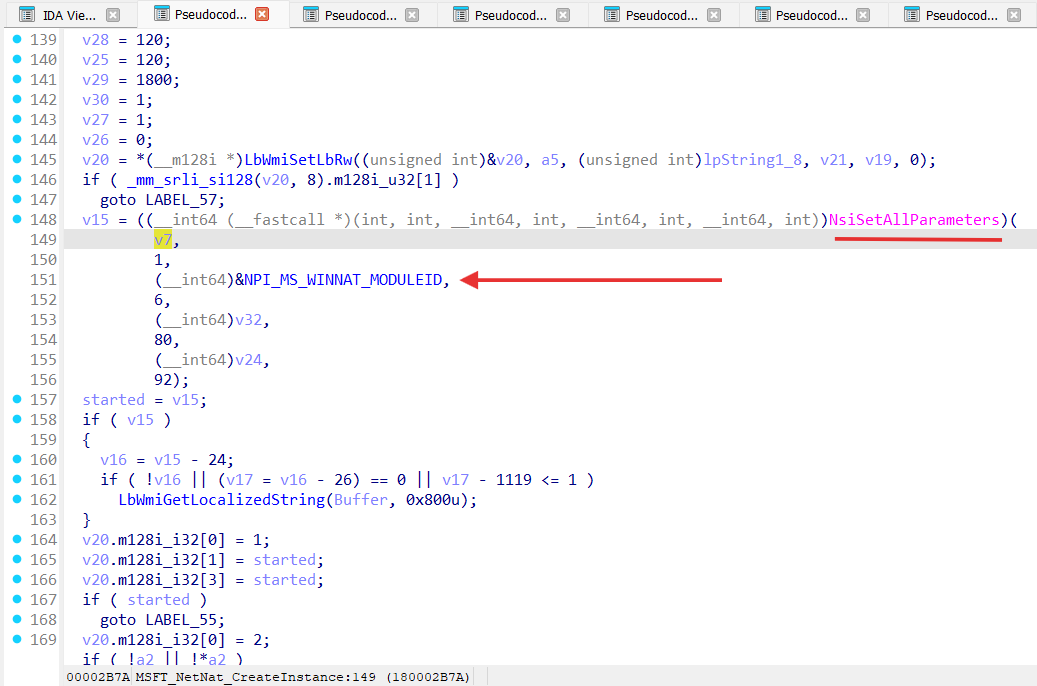
As we can see from the IDA pseudo-code for MSFT_NetNat_CreateInstance it uses NSI with a specified Network Programming Interface module (NPI_MS_WINNAT_MODULEID). A Network Programming Interface, or NPI, defines the interface between network modules that can be attached to one another [ network-programming-interface ] .
If we are going to analyze HNS implementation (presented by HostNetSvc.dll), we can observe the NAT network creation:
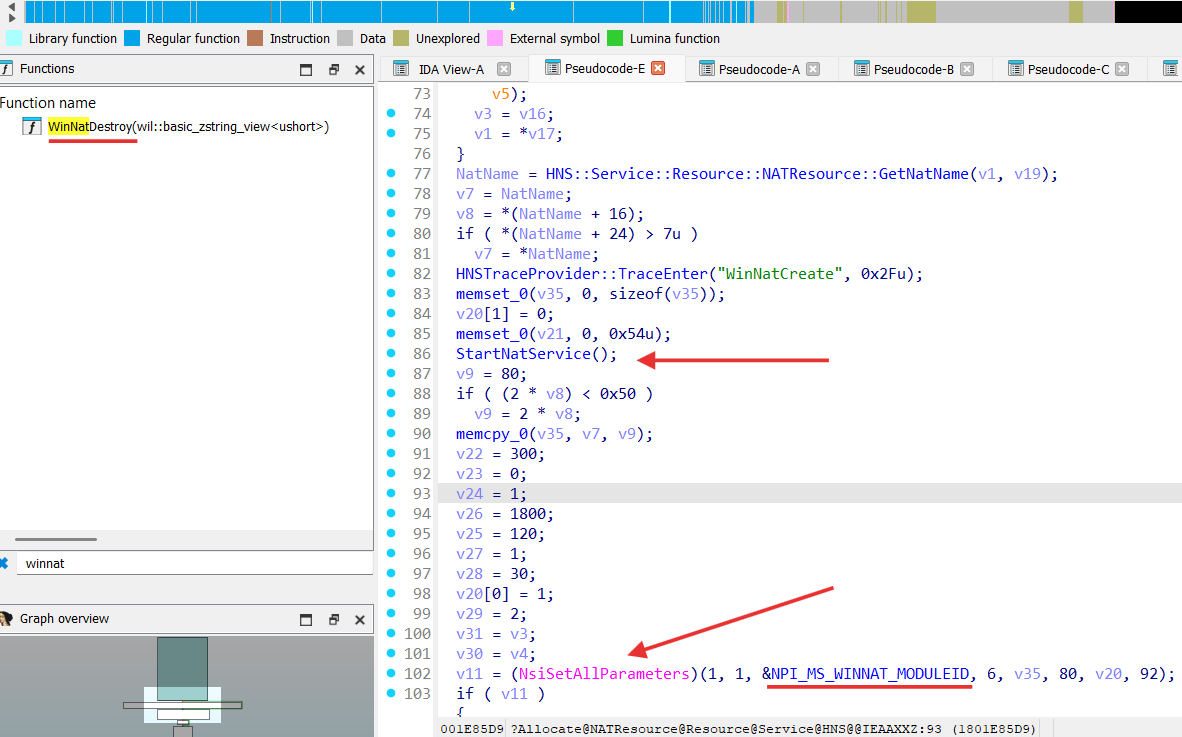
From the preudo-code above we can see that like in MSFT_NetNat_CreateInstance from the NetNat.dll it uses NSI to communicate with NPI_MS_WINNAT_MODULEID module.
StartNatService function starts service named “winnat”:
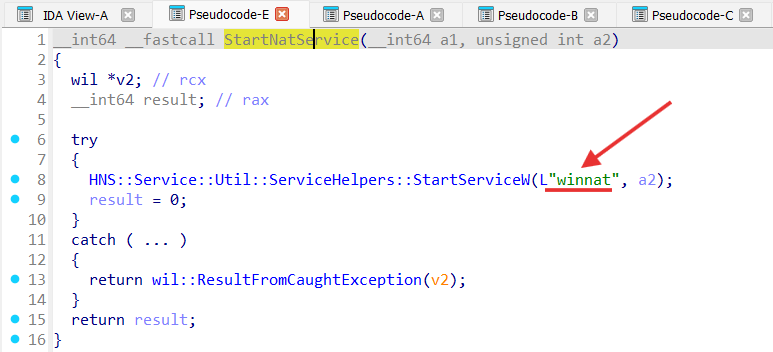
WINNAT.SYS
We can find what “winnat” service is for:
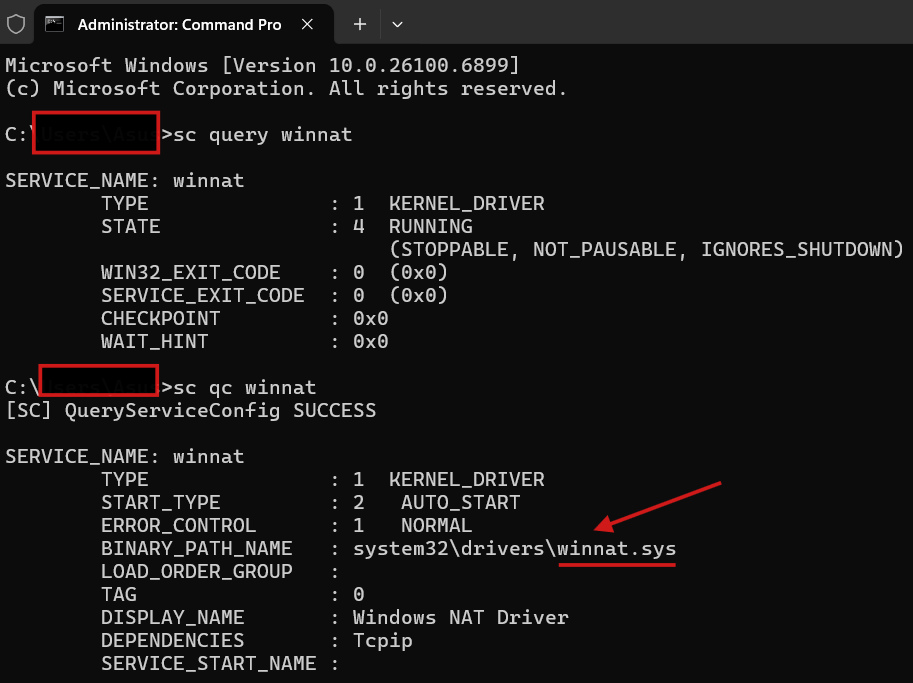
Let’s analyze winnat.sys driver:
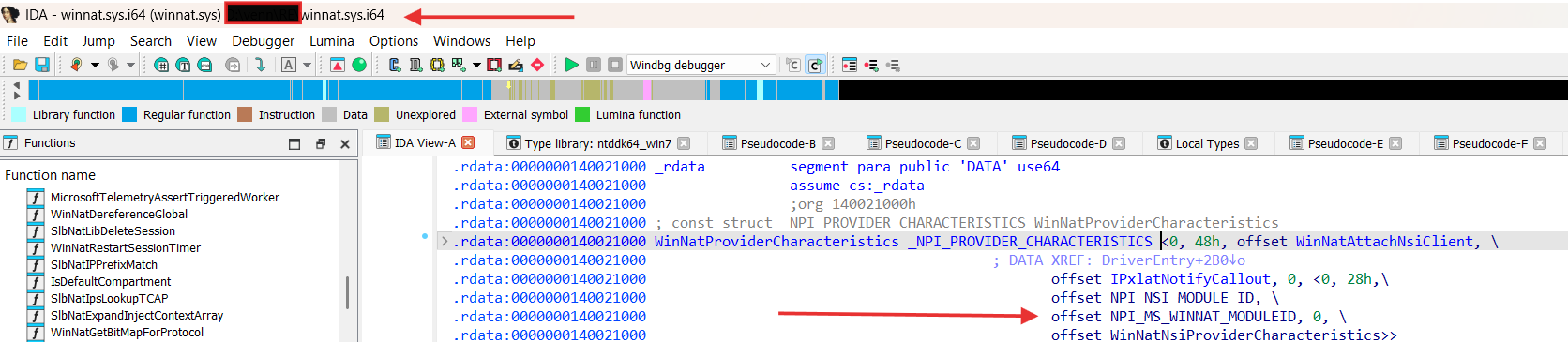
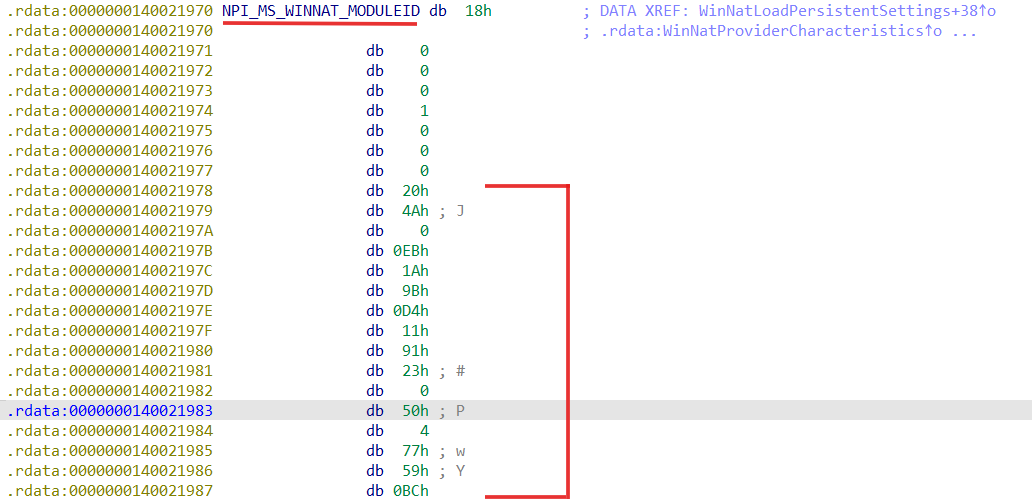
We can decode it as GUID and get 204A00EB-1A9B-D411-9123-0050047759BC.
Winnat.sys registers itself as a Provider (NPI_MS_WINNAT_MODULEID = 204A00EB-1A9B-D411-9123-0050047759BC) to Network Module Registrar (NMR) and NetNat.dll as well as HostNetSvc.dll use it as Clients [ introduction-to-the-network-module-registrar ].
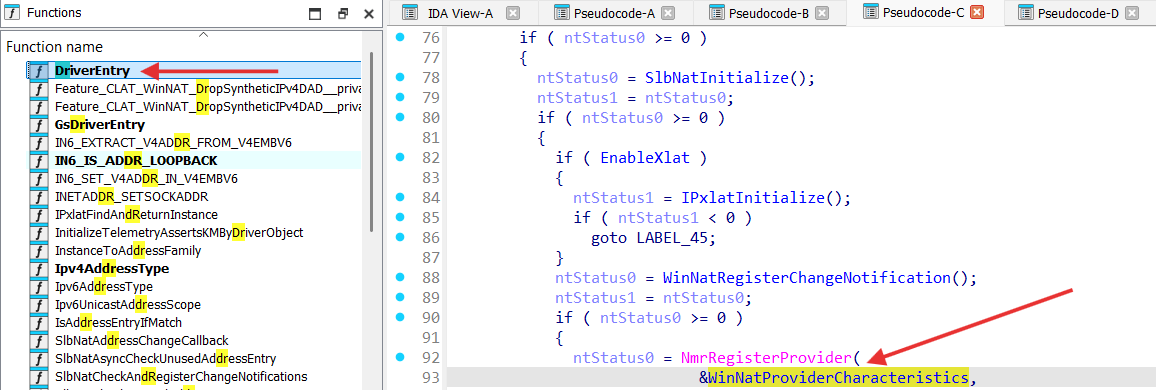
So we can conclude that kernel-mode functionality of the NAT on Windows is implemented by winnat.sys.
Winnat.sys is actually Windows Filtering Platform callout driver [ windows-filtering-platform-callout-drivers ] :
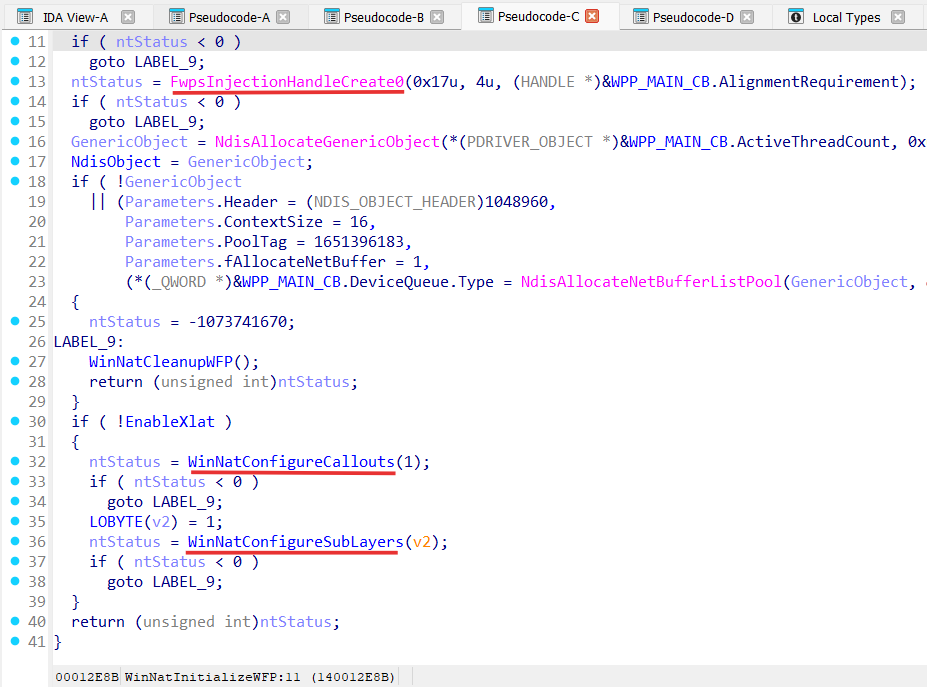
Winnat.sys registers 3 WFP callouts:
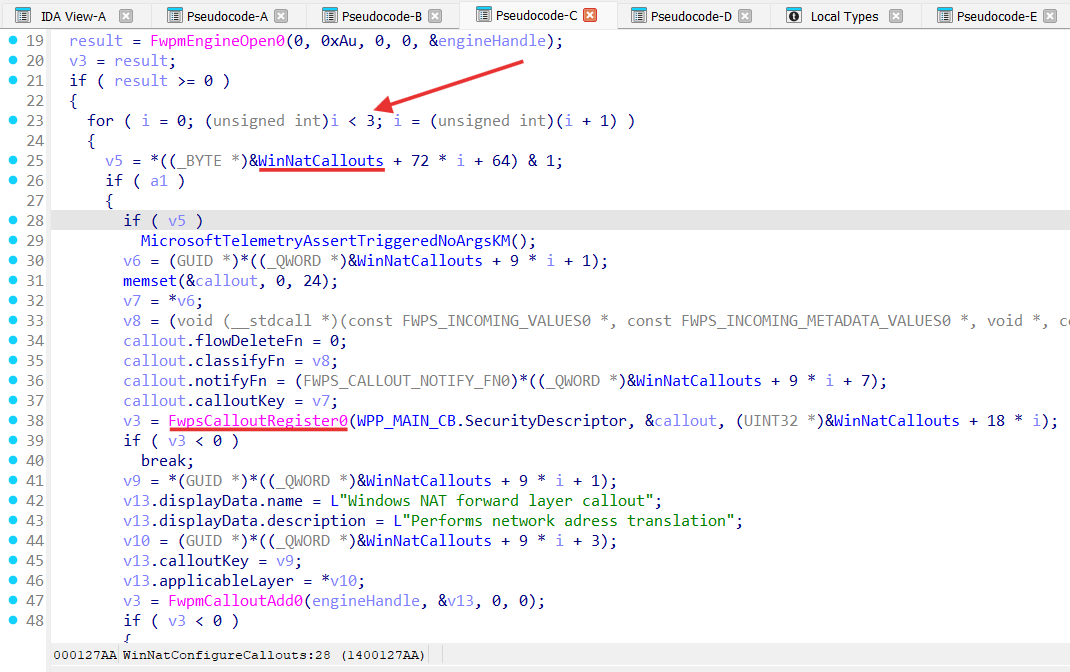
These callouts are:
- WINNAT_WFP_FORWARD_LAYER_CALLOUT_IPV6 for FWPM_LAYER_IPFORWARD_V6 layer;
- WINNAT_WFP_FORWARD_LAYER_CALLOUT_IPV4 for FWPM_LAYER_IPFORWARD_V4 layer;
- WINNAT_WFP_INBOUND_IP_LAYER_CALLOUT_IPV4 for FWPM_LAYER_INBOUND_IPPACKET_V4 layer:
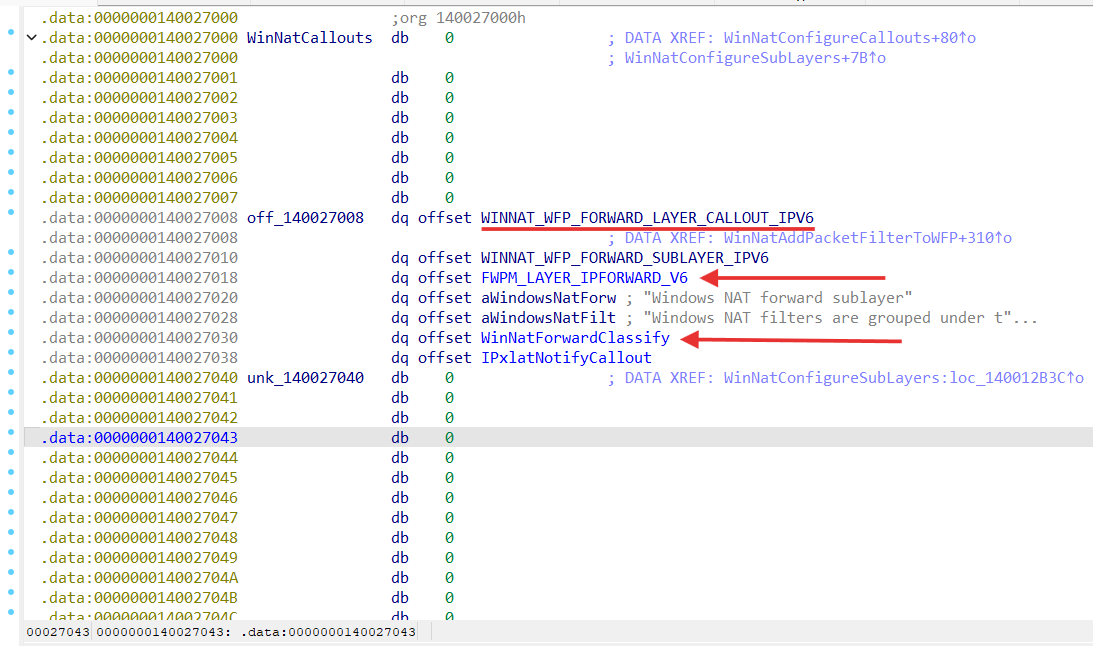
FWPM_LAYER_IPFORWARD_V4 / FWPM_LAYER_IPFORWARD_V6 filtering layer is located in the forwarding path at the point where a received packet is forwarded.
FWPM_LAYER_INBOUND_IPPACKET_V4 / FWPM_LAYER_INBOUND_IPPACKET_V6 filtering layer is located in the receive path just after the IP header of a received packet has been parsed but before any IP header processing takes place [ wfp-management-filtering-layer-identifiers ] .
FWPM_LAYER_IPFORWARD_V4 / FWPM_LAYER_IPFORWARD_V6 is processed by WinNatForwardClassify function:
void __fastcall WinNatForwardClassify(
        FWPS_INCOMING_VALUES0 *inFixedValues,
        FWPS_INCOMING_METADATA_VALUES0 *inMetaValues,
        const NET_BUFFER_LIST *layerData,
        FWPS_FILTER0 *filter,
        __int64 flowContext,
        FWPS_CLASSIFY_OUT0 *classifyOut)
FWPM_LAYER_INBOUND_IPPACKET_V4 / FWPM_LAYER_INBOUND_IPPACKET_V6 is processed by WinNatIpv4IPClassify function:
void __fastcall WinNatIpv4IPClassify(
        FWPS_INCOMING_VALUES0 *inFixedValues,
        FWPS_INCOMING_METADATA_VALUES0 *inMetaValues,
        NET_BUFFER_LIST *layerData,
        FWPS_FILTER0 *filter,
        __int64 flowContext,
        FWPS_CLASSIFY_OUT0 *classifyOut)
The WinNatForwardClassify function gets invoked after the inbound packet has been validated and a routing decision has been made — but before the packet is actually sent out on the egress interface.
Let’s analyze WinNatForwardClassify:
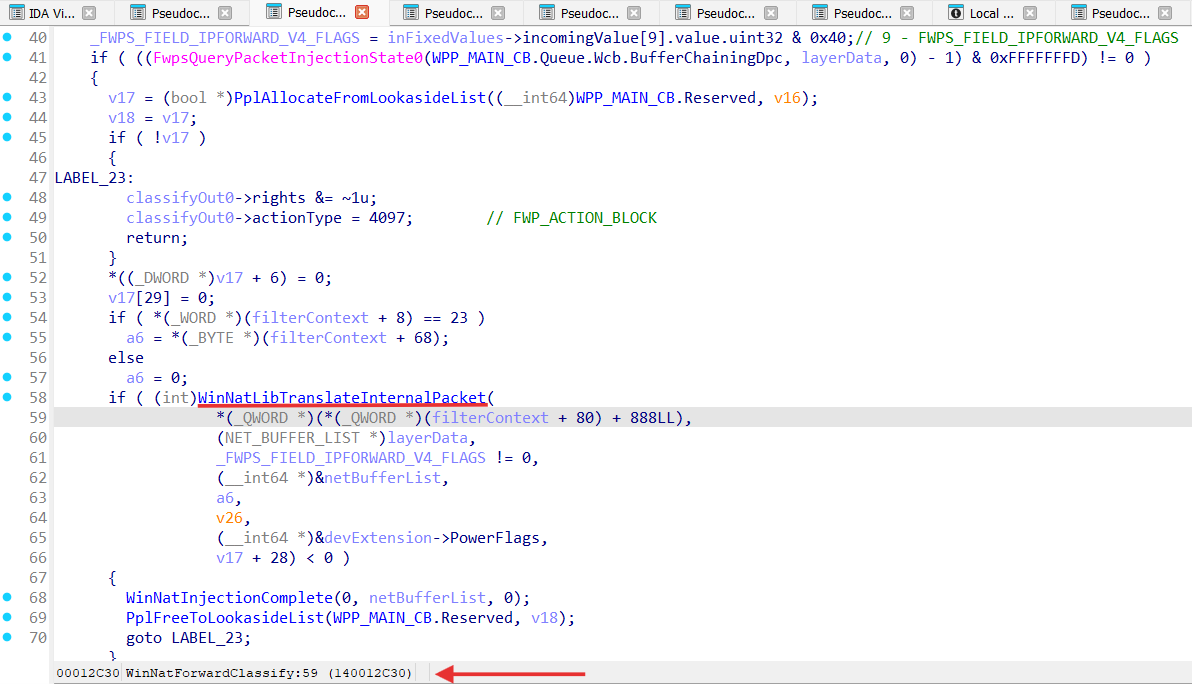
WinNatForwardClassify performs packet NATing in the WinNatLibTranslateInternalPacket function, where actual packets translation happens in WinNatTranslatePacket.
The WinNatIpv4IPClassify function gets invoked when a packet is received by the IP layer but before it is delivered up to higher layers.
Let’s analyze WinNatIpv4IPClassify function:
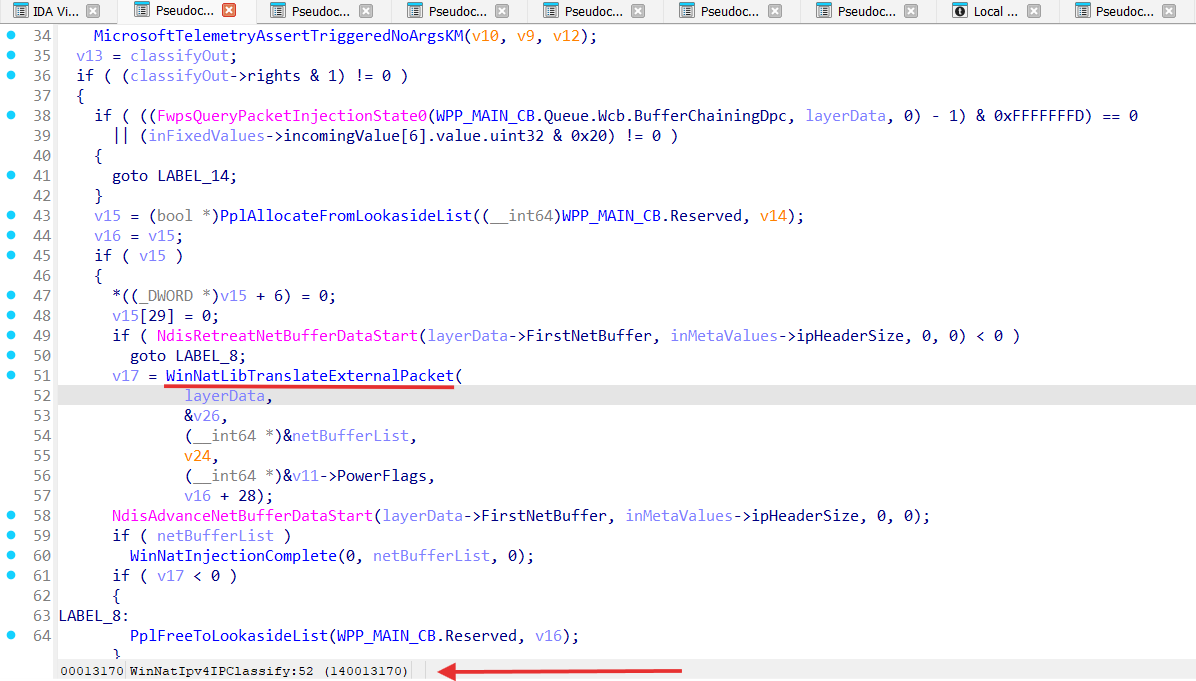
WinNatIpv4IPClassify performs packet NATing in the WinNatLibTranslateExternalPacket function, where actual packets translation happens in WinNatTranslatePacket:
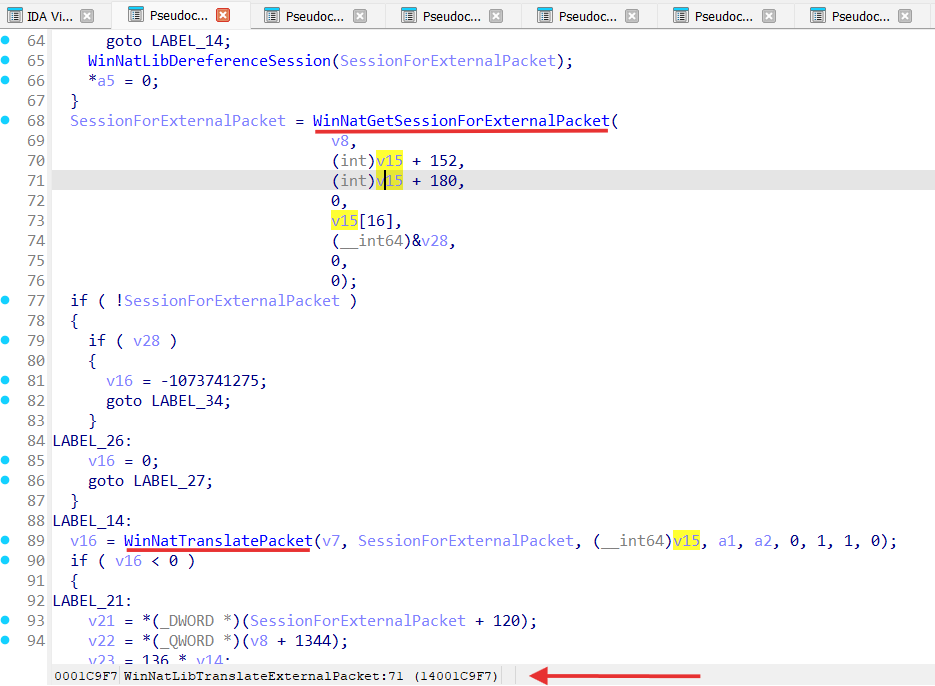
So for both WinNatForwardClassify and WinNatIpv4IPClassify perform NATing modifying IP and transport headers (TCP/UDP) with help of the WinNatTranslatePacket function:
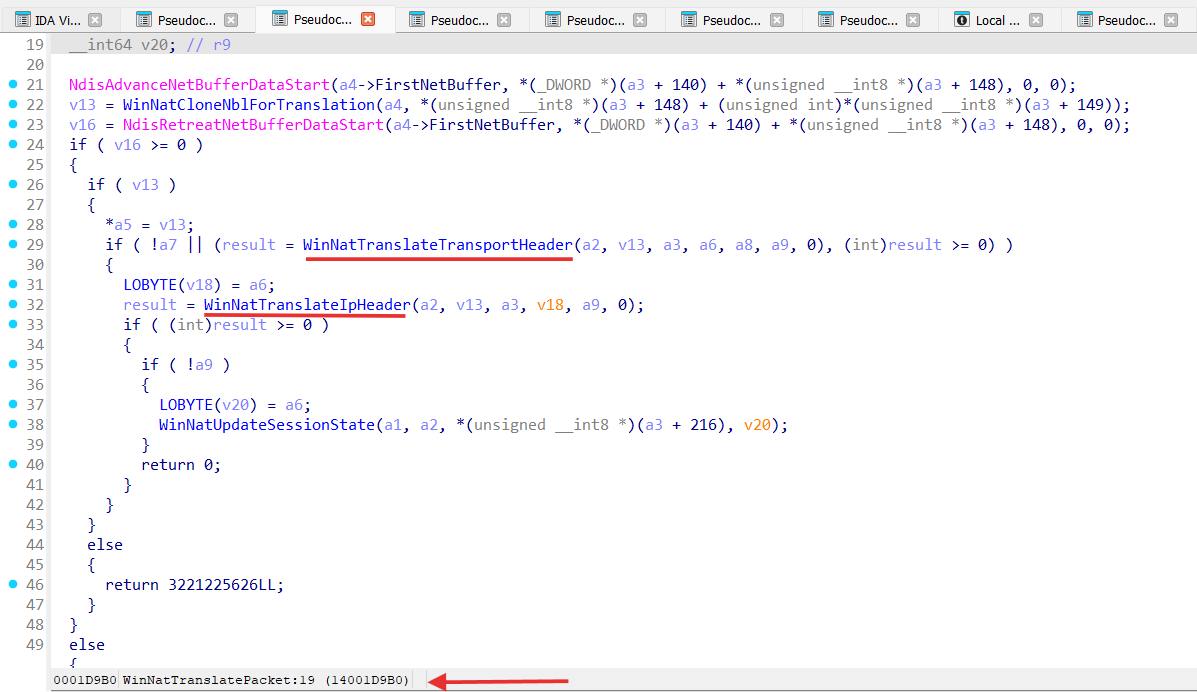
Modification of the packets is pretty simple - change source address of the packet from an internal NAT interface (virtual NAT adapter) to an external public NIC interface (physical NIC adapter) on the send path (for example: 172.24.16.2 -> 192.168.0.10), and vice versa on the receive path.
After packets were modified the are re-injected to the data path by the WinNatInjectTranslatedPacket from the scheduled WinNatTranslationDpc DPC:
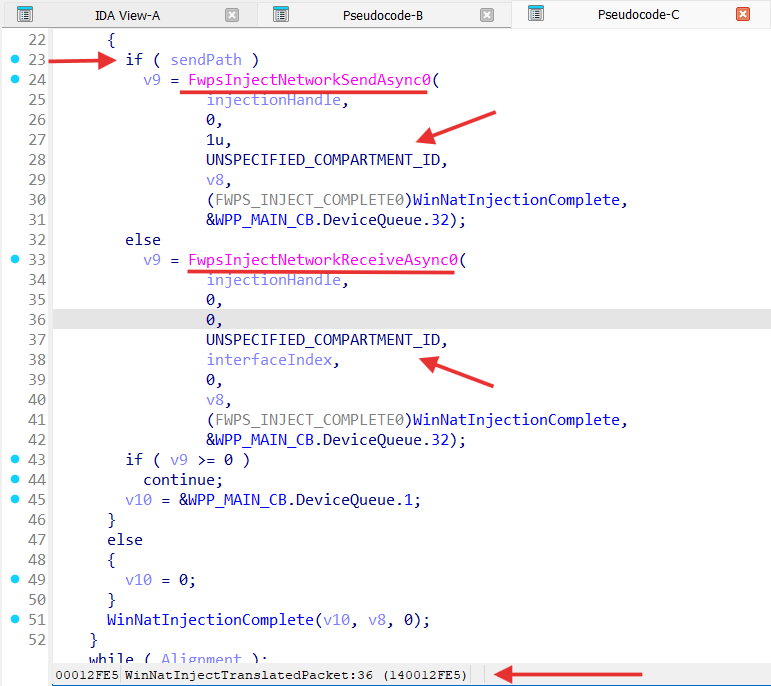
So, overall flow for winnat.sys can be draw as following:
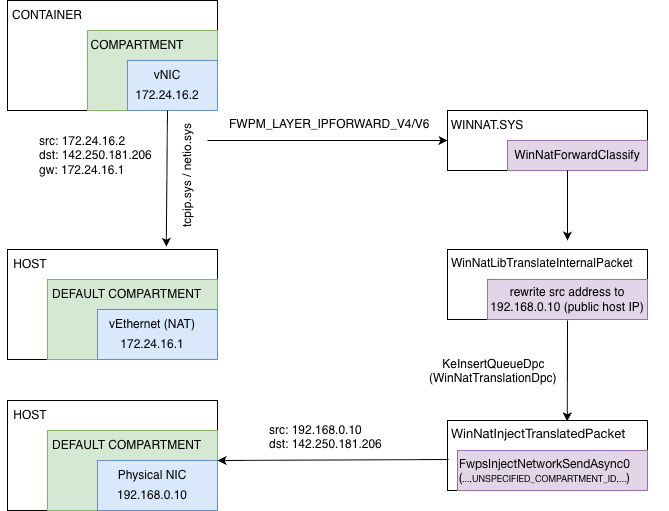
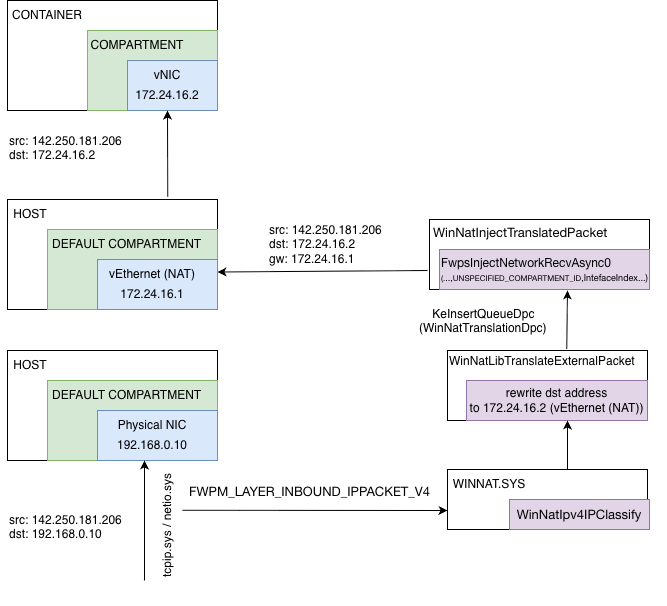
So, traffic from the one container isolated inside compartment get routed to the default host compartment and back using NAT implemented by WFP callout driver named winnat.sys.
Also we can conclude that a traffic from the all compartments is visible for WFP callaouts drivers.