
INTRO
There are a lot of the excellent documentations and researches about Windows containers:
https://www.cyberark.com/resources/threat-research-blog/understanding-windows-containers-communication
https://unit42.paloaltonetworks.com/what-i-learned-from-reverse-engineering-windows-containers/
https://googleprojectzero.blogspot.com/2021/04/who-contains-containers.html
https://qiita.com/kikuchi_kentaro/items/2fb0171e18821d402761
https://www.deepinstinct.com/blog/contain-yourself-staying-undetected-using-the-windows-container-isolation
https://blog.quarkslab.com/reversing-windows-container-episode-i-silo.html
But there is almost no information on how networking in Windows containers are implemented.
Let’s start our journey in Windows container networking:
Container networking on Windows
Windows containers function similarly to virtual machines in regards to networking. Each container has a virtual network adapter (vNIC) which is connected to a Hyper-V virtual switch (vSwitch). The Host Networking Service (HNS) and the Host Compute Service (HCS) work together to create containers and attach container vNICs to networks. HCS is responsible for the management of containers whereas HNS is responsible for the management of networking resources.
[ https://kubernetes.io/docs/concepts/services-networking/windows-networking/ ]
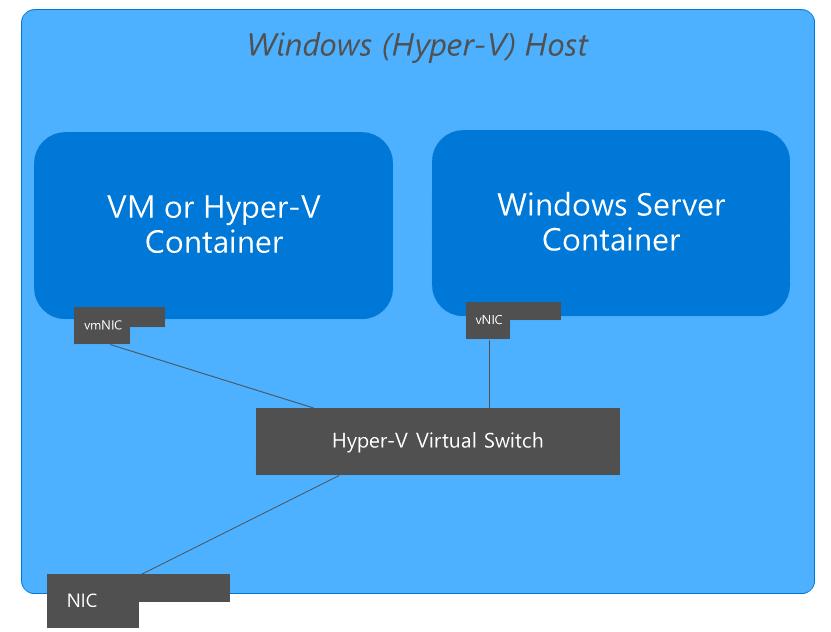
Host Networking Service (HNS)
The Windows Host Networking Service (HNS) is a backend component that manages networking for containers and virtual machines on a Windows host. Host Compute Network (HCN) service API is a public-facing Win32 API that provides platform-level access to manage the virtual networks, virtual network endpoints, and associated policies.
[ https://learn.microsoft.com/en-us/windows-server/networking/technologies/hcn/hcn-top ]
Microsoft samples show how to use Host Compute Network Service API to create a HCN on the host that can be used to connect Virtual NICS to Virtual Machines or Containers [hcn-scenarios]:
using unique_hcn_network = wil::unique_any<HCN_NETWORK,decltype(&HcnCloseNetwork),HcnCloseNetwork>;
/// Creates a simple HCN Network, waiting synchronously to finish the task
void CreateHcnNetwork()
{
    unique_hcn_network hcnnetwork;
    wil::unique_cotaskmem_string result;
    std::wstring settings = ....;
    GUID networkGuid;
    HRESULT result = CoCreateGuid(&networkGuid);
    result = HcnCreateNetwork(
        networkGuid,              // Unique ID
        settings.c_str(),      // Compute system settings document
        &hcnnetwork,
        &result
        );
    ....
}
All public HCN api can be categorized as:
- Network : HcnCreateNetwork, HcnOpenNetwork, .etc
- Namespace: HcnCreateNamespace, HcnOpenNamespace, .etc
- Endpoint: HcnCreateEndpoint, HcnOpenEndpoint, .etc
What is a relation between Network, Namespace and Endpoint in terms of the HCN?
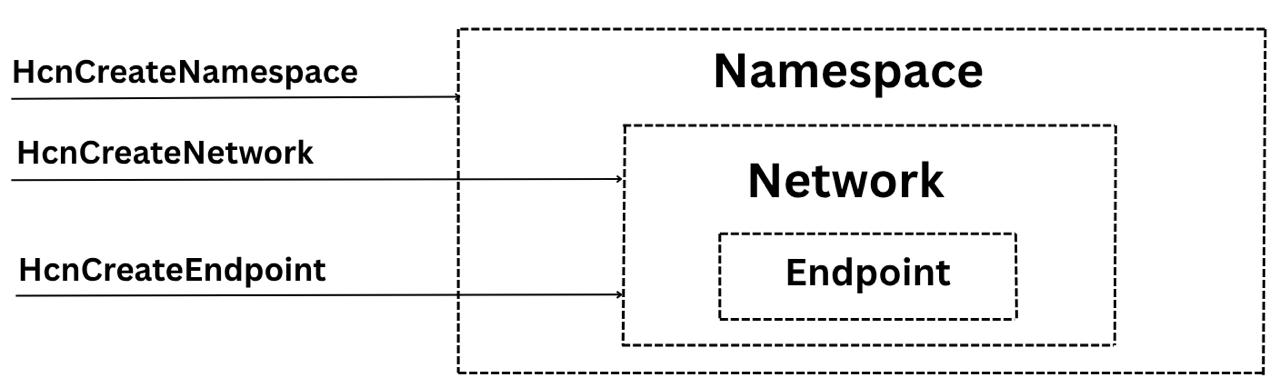
As we can see Namespace contains Network, and Network contains Endpoint
Each container endpoint is placed in its own network namespace. The management host virtual network adapter and host network stack are located in the default network namespace. To enforce network isolation between containers on the same host, a network namespace is created for each Windows Server container and containers run under Hyper-V isolation into which the network adapter for the container is installed. Windows Server containers use a host virtual network adapter to attach to the virtual switch. Hyper-V isolation uses a synthetic VM network adapter (not exposed to the utility VM) to attach to the virtual switch.
NAMESPACES
Searching for HcnCreateNamespace on Windows host reveals:
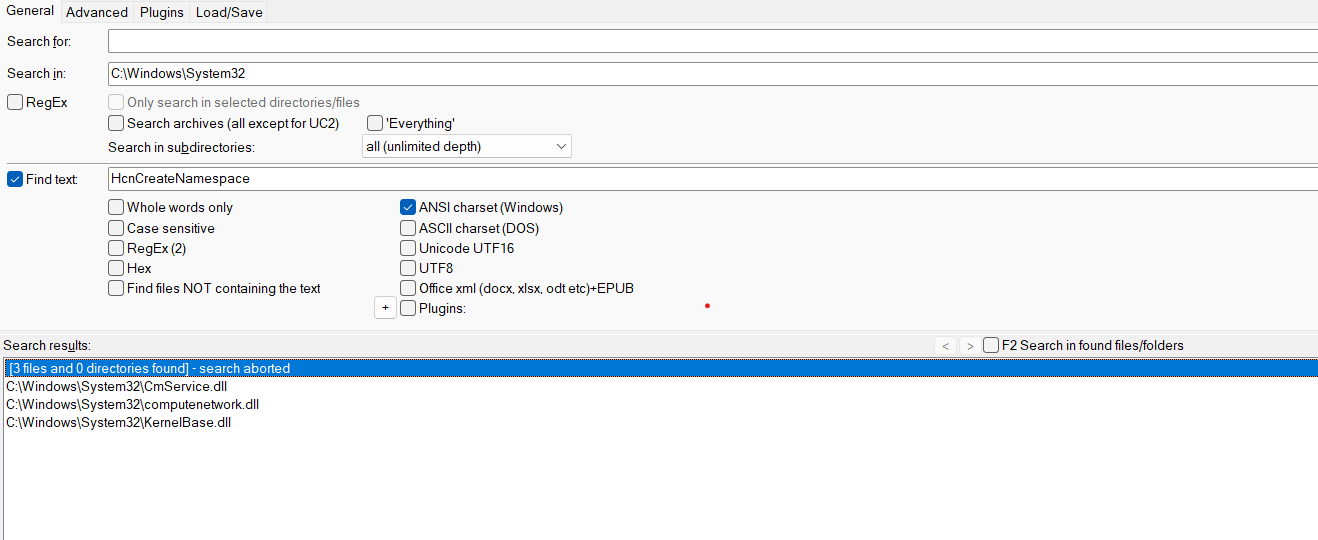
Well, there are CmService.dll (Container Manager Service) and computenetwork.dll (Hyper-V Host Networking Service Library). And computenetwork.dll is our candidate:
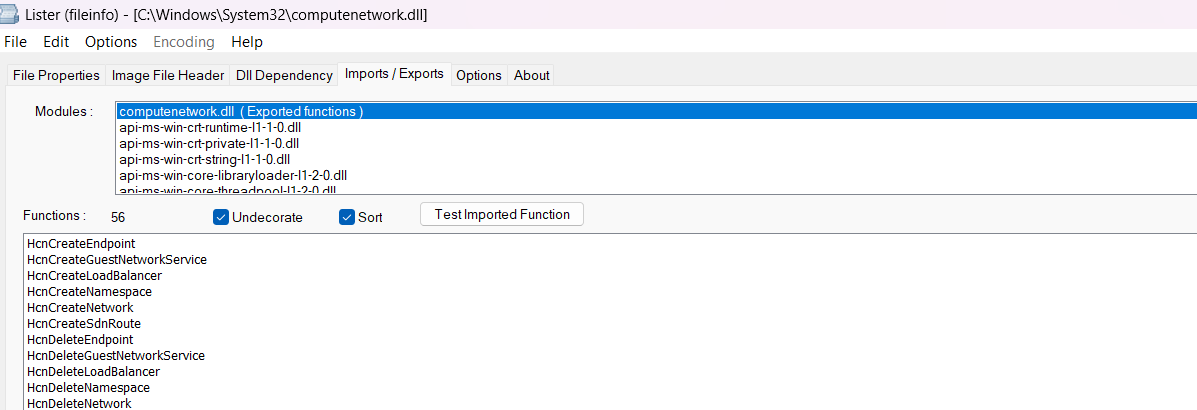
Let’s open computenetwork.dll in IDA:
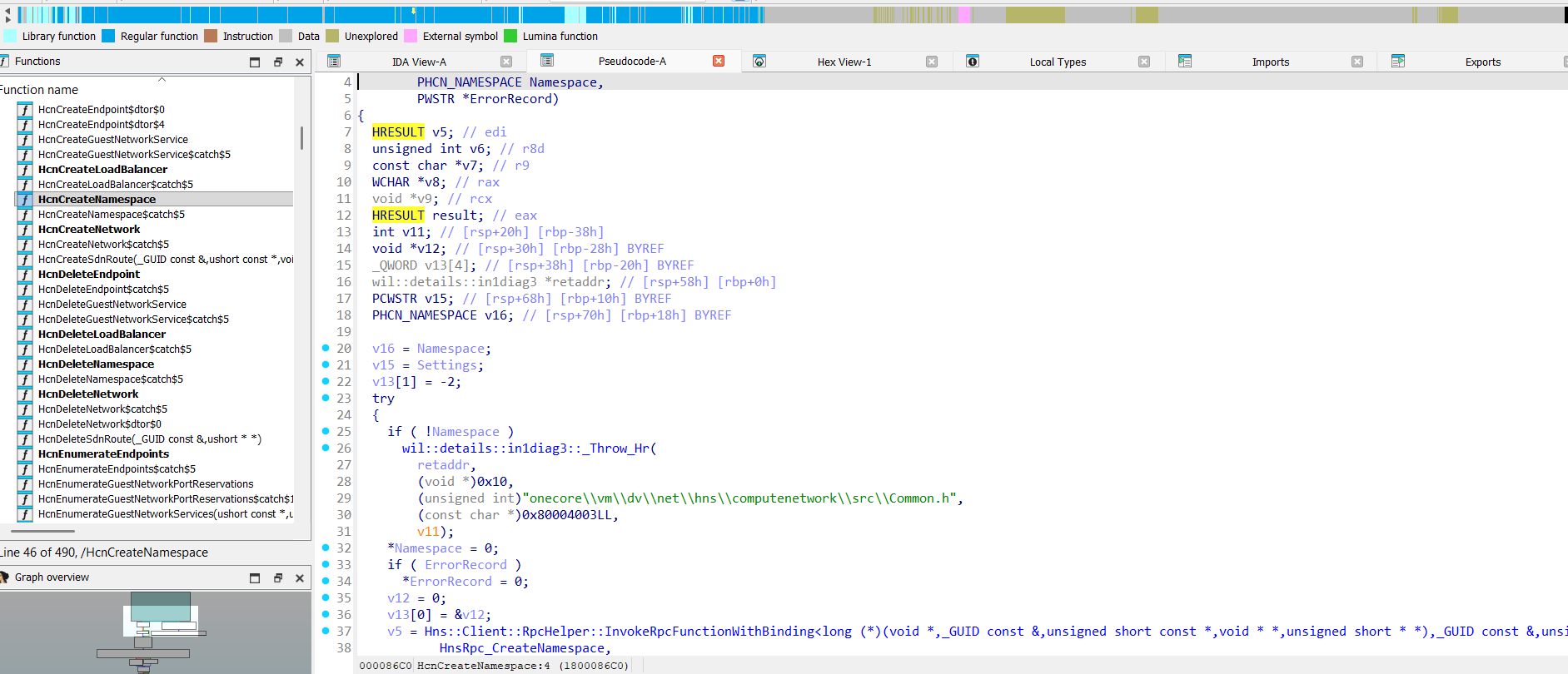
HcnCreateNamespace in computenetwork.dll:

So, here is the call chain HcnCreateNamespace -> HnsRpc_CreateNamespace. HnsRpc* prefix clearly says that creating namespaces will be performed in HostNetSvc.dll (Hns* - Host network service) playing the role of the RPC service, and it is an actual HNS.
Lets load HostNetSvc.dll into IDA:
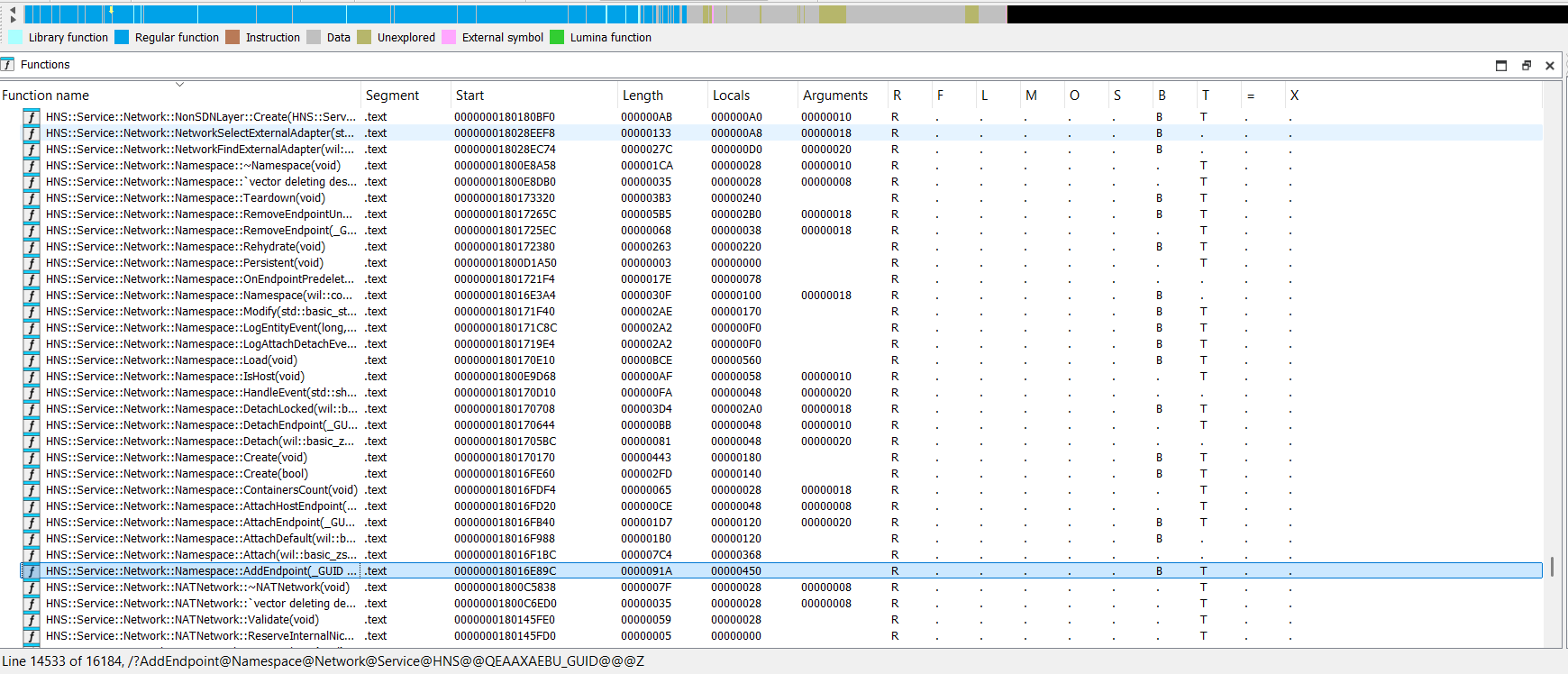
Namespace-related methods in the HostNetSvc.dll:
HNS::Service::Network::Namespace::Namespace(void)
HNS::Service::Network::Namespace::~Namespace(void)
HNS::Service::Network::Namespace::Teardown(void)
HNS::Service::Network::Namespace::RemoveEndpointUnderLock(_GUID const &)
HNS::Service::Network::Namespace::RemoveEndpoint(_GUID const &)
HNS::Service::Network::Namespace::Modify(std::basic_string_view<ushort> const &)
HNS::Service::Network::Namespace::Load(void)
HNS::Service::Network::Namespace::IsHost(void)
HNS::Service::Network::Namespace::DetachEndpoint(_GUID const &,ushort const *,bool)
HNS::Service::Network::Namespace::Detach(wil::basic_zstring_view<ushort>,bool)
HNS::Service::Network::Namespace::Create(void)
HNS::Service::Network::Namespace::ContainersCount(void)
HNS::Service::Network::Namespace::AttachHostEndpoint(_GUID const &)
HNS::Service::Network::Namespace::AttachEndpoint(_GUID const &,ushort const *,bool)
HNS::Service::Network::Namespace::AttachDefault(wil::basic_zstring_view<ushort>)
HNS::Service::Network::Namespace::Attach(wil::basic_zstring_view<ushort>,bool)
HNS::Service::Network::Namespace::AddEndpoint(_GUID const &)
Lets see at HNS::Service::Network::Namespace::Create method:
void __fastcall HNS::Service::Network::Namespace::Create(HNS::Service::Network::Namespace *this)
{
    ....
    v8 = HNS::Service::Resource::ResourceManager::AllocateResource<25,HNS::Service::Resource::NetworkCompartmentResource::VariableSet *>( v6,v29,Activity,&v26);
    ....
}
Next go to Service::Resource::NetworkCompartmentResource:
HNS::Service::Resource::NetworkCompartmentResource::Load(void)
HNS::Service::Resource::NetworkCompartmentResource::DeallocateResource(void)
HNS::Service::Resource::NetworkCompartmentResource::AllocateResource(void)
HNS::Service::Resource::NetworkCompartmentResource::AllocateResource(void):
_QWORD *__fastcall HNS::Service::Resource::NetworkCompartmentResource::AllocateResource(__int64 a1, _QWORD *a2)
{
    .....
    HNSTraceProvider::TraceEnter("HNS::Service::Resource::NetworkCompartmentResource::AllocateResource", 0x2Eu);
    AcquireSRWLockExclusive((PSRWLOCK)(a1 + 40));
    .....
    v10 = IpAddress::CreateCompartment(&v15, v5 == 1, v4);
    ....
}
Here is IpAddress object, lets see:
IpAddress::GetCompartment(_GUID const &)
IpAddress::DeleteCompartment(_GUID const &)
IpAddress::CreateCompartment(_GUID const &,bool,bool)
And here is IpAddress::CreateCompartment method:
__int64 __fastcall IpAddress::CreateCompartment(const struct _GUID *a1, char a2, char a3)
{
    ....
    CompartmentId = 0;
    v6 = ConvertCompartmentGuidToId(a1, &CompartmentId);
    ....
    v13 = NsiSetAllParameters(2, 1, &NPI_MS_NDIS_MODULEID);
    ....
    return CompartmentId;
}
So, Namespaces are implemented with the help of the Compartments!
We can find that the NsiSetAllParameters function is exported by netio.sys and nsi.dll:
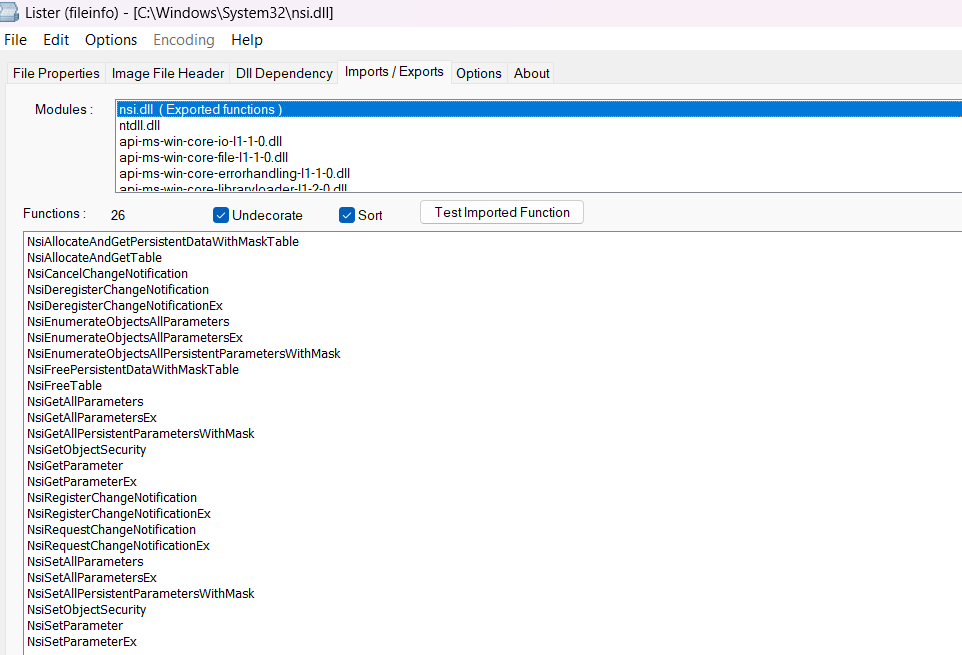
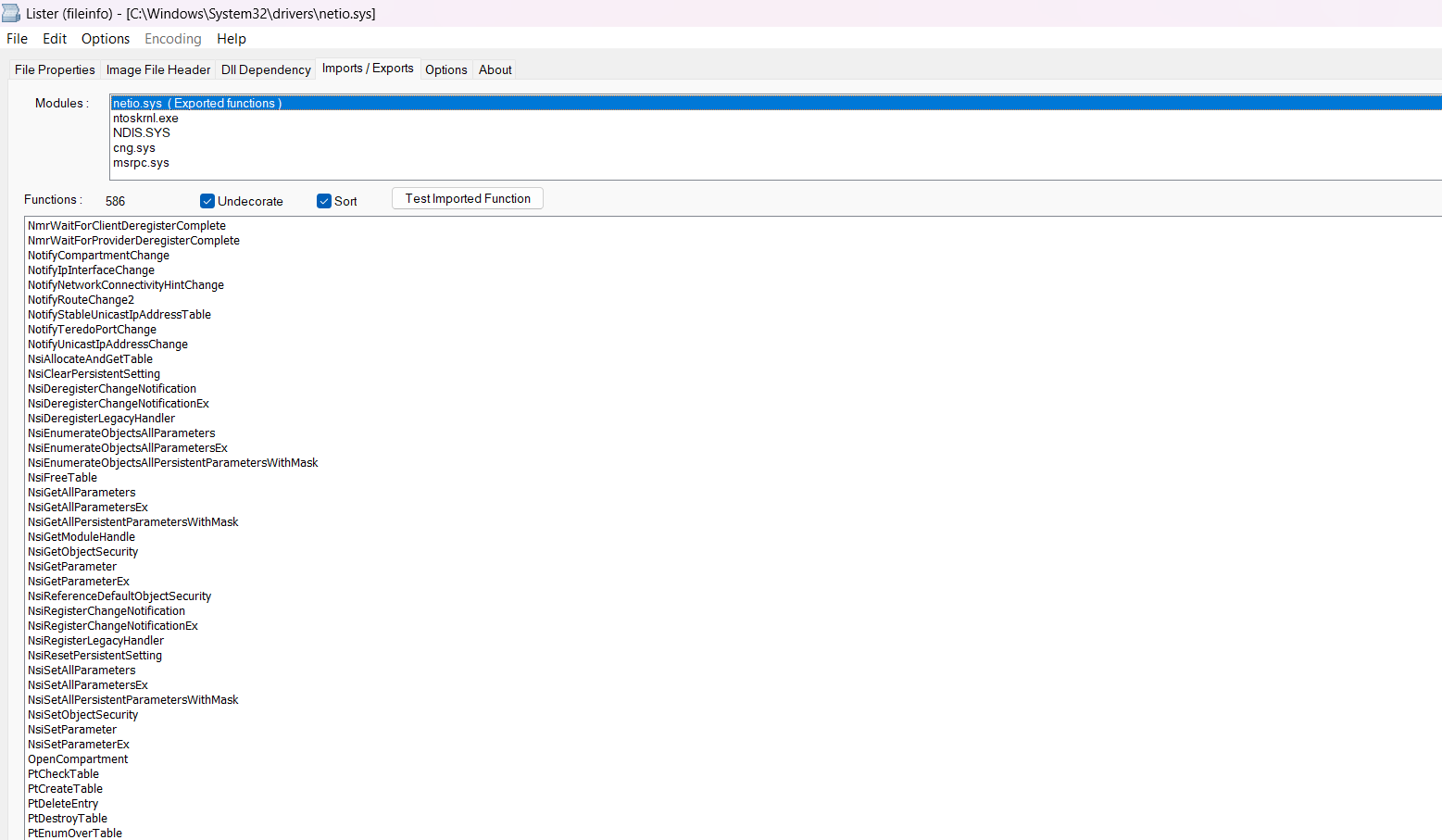
nsi.dll implements Network Store Interface (NSI). The NSI service is responsible for storing and providing information about network interfaces and their states to other parts of the operating system, and runs under a shared process called svchost.exe.
Let’s take a closer look at the NsiSetAllParameters function (IDA pseudo code):
__int64 __fastcall NsiSetAllParameters(int a1, int a2, LPVOID a3, int a4, LPVOID a5, int a6, LPVOID a7, int a8)
{
  _QWORD v9[3]; // [rsp+30h] [rbp-58h] BYREF
  ....
  return NsiIoctl(0x120013u, v9, 0x48u, v9, (LPDWORD)&a6, 0);
}
DWORD __fastcall NsiIoctl(DWORD dwIoControlCode, LPVOID lpInBuffer, DWORD nInBufferSize, LPVOID lpOutBuffer, LPDWORD lpBytesReturned, LPOVERLAPPED lpOverlapped)
{
    ULONG OutputBufferLength; // ebx
    HANDLE EventA; // rdi
    int Status; // ebx
    HANDLE FileW; // rax
    struct _IO_STATUS_BLOCK IoStatusBlock; // [rsp+58h] [rbp-30h] BYREF

    FileW = CreateFileW(L"\\\\.\\Nsi", 0, 3u, 0, 3u, 0x40000000u, 0);
    ....
    if ( !lpOverlapped )
    {
        ....
        Status = NtDeviceIoControlFile(g_NsiAsyncDeviceHandle, EventA, 0, 0, &IoStatusBlock, dwIoControlCode, lpInBuffer, nInBufferSize, lpOutBuffer, OutputBufferLength);
    }
    ....
}
Symbolic link L”\\.\Nsi” is created by nsiproxy.sys driver (discovered during nsiproxy.sys reversing):
__int64 __fastcall NsippCreateDevice(PDRIVER_OBJECT DriverObject)
{
    ....
    RtlInitUnicodeString(&DestinationString, L"\\Device\\Nsi");
    v8 = WdmlibIoCreateDeviceSecure(v1, v6, &DestinationString, v7, v14, v15, &DefaultSDDLString, v16);
    if ( v8 >= 0 )
    {
        ....
        RtlInitUnicodeString(&SymbolicLinkName, L"\\??\\Nsi");
        v8 = IoCreateSymbolicLink(\&SymbolicLinkName, &DestinationString);
        if ( v8 >= 0 )
        {
           *MajorFunction = (PDRIVER_DISPATCH)&NsippDispatch;
    ....
 }
NsippDispatch is a dispatch handler:
__int64 __fastcall NsippDispatch(__int64 a1, IRP *a2)
{
    ....
    CurrentStackLocation = (__int64)a2->Tail.Overlay.CurrentStackLocation;
    ....
    v7 = *(_DWORD*)(CurrentStackLocation + 24);
    v8 = *(volatile void **)(CurrentStackLocation + 32);
    v10 = *(_DWORD *)(CurrentStackLocation + 16);
    switch ( v7 )
    {
        ....
      switch ( v7 )
      {
        ....
        case 0x120013:
          AllParameters = NsippSetAllParameters((__int128*)v8, v10, RequestorMode, CurrentStackLocation);
    ....
}
And NsippSetAllParameters:
__int64 __fastcall NsippSetAllParameters(__int128* a1, unsigned int a2, unsigned __int8 a3, __int64 a4)
{
    ....
    Parameters = NsippProbeAndAllocateParameters(
                 (_DWORD)a1,
                 72,
                 (int)a1 + 8,
                 (int)a1 + 40,
                 (__int64)a1 + 56,
                 a3,....);
    v14 = (char*)Parameters;
    ....
LABEL_9:
        Parameters = NsiSetAllParametersEx(v14);
    ....
}
And NsiSetAllParametersEx is located in netio.sys:
__int64 __fastcall NsiSetAllParametersEx(__int64 a1)
{
    ....
    NmpContext = NsipGetNmpContext(a1 + 8);
    ....
    v11 = *(_QWORD*)(NmpContext + 48);
    v5 = NsipValidateSetAllParametersRequest(v11, a1);
    ....
    v20 = NsipWritePersistentData(a1 + 8, v4, a1 + 40, *(_QWORD*)(a1 + 56), 0, *(_DWORD*)(a1 + 64), 0, v27);
    ....
}
And NsipWritePersistentData function write all network related information into the registry key L”\Registry\Machine\System\CurrentControlSet\Control\Nsi”:
__int64 __fastcall NsipWritePersistentData(
        __int64 a1,
        unsigned int a2,
        __int64 a3,
        void *a4,
        void *Src,
        unsigned int Size,
        unsigned int a7,
        bool a8)
{
    ....
    result = NsipOpenInformationObjectKey(&KeyHandle);
    ....
    v16 = ZwQueryValueKey(KeyHandle, &ValueName, KeyValueFullInformation, v33, DataSize, &DataSize);
    ....
    NsipConvertKeyValueDataToRw(LowPriority, LowPriority, 0, 0, v35);
    ....
    v24 = ZwSetValueKey(KeyHandle, &ValueName, 0, 3u, v12, 2 * v20);
    ....
}

__int64 __fastcall NsipOpenInformationObjectKey(PHANDLE KeyHandle, unsigned int *a2)
{
  ....
  PersistedStateLocation = RtlGetPersistedStateLocation(
                                 L"NsiPersistentStore",
                                 0,
                                 L"\\Registry\\Machine\\System\\CurrentControlSet\\Control\\Nsi",
                                 0,
                                 v17,
                                 512,
                                 &v11);
....
}
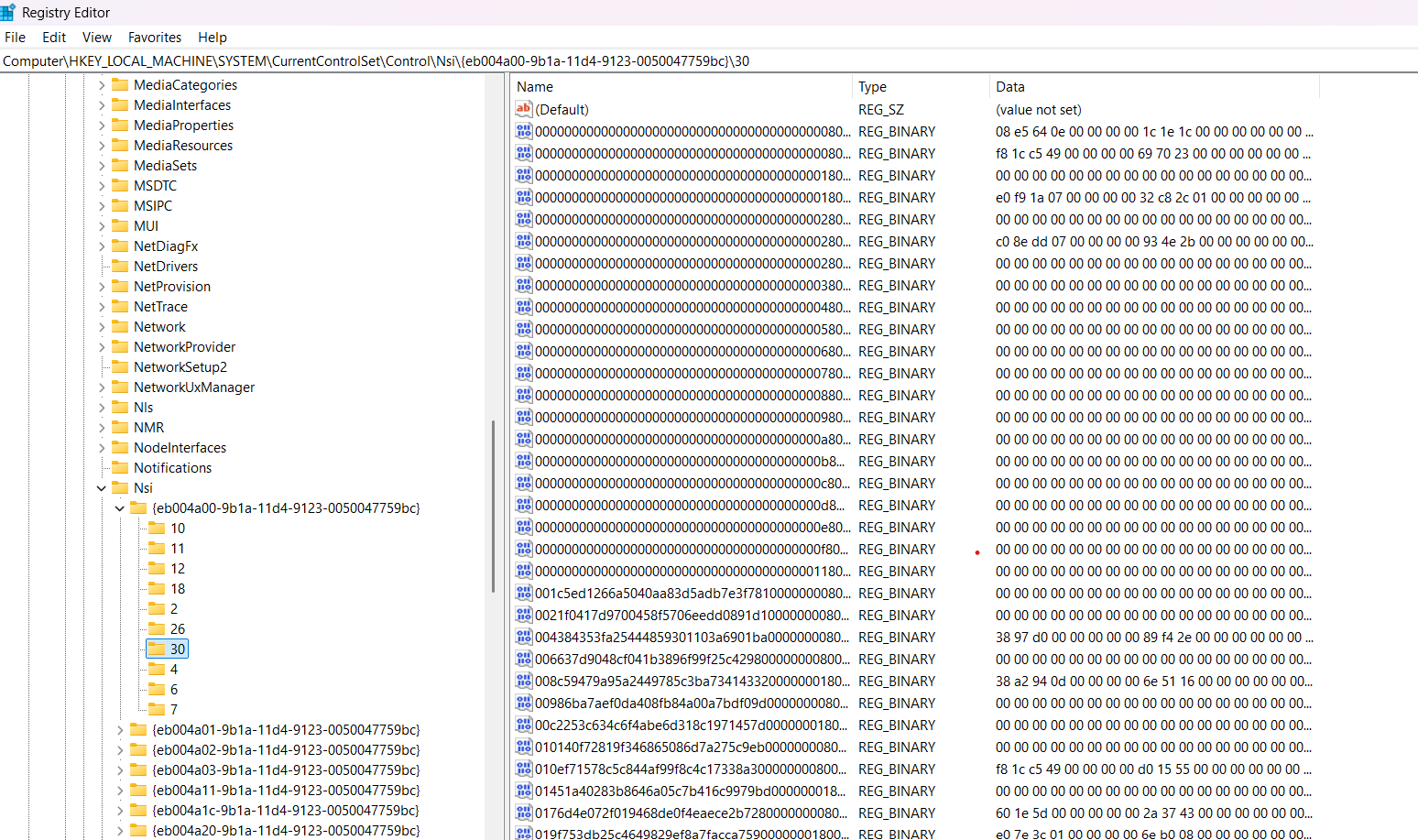
View of the \Registry\Machine\System\CurrentControlSet\Control\Nsi:
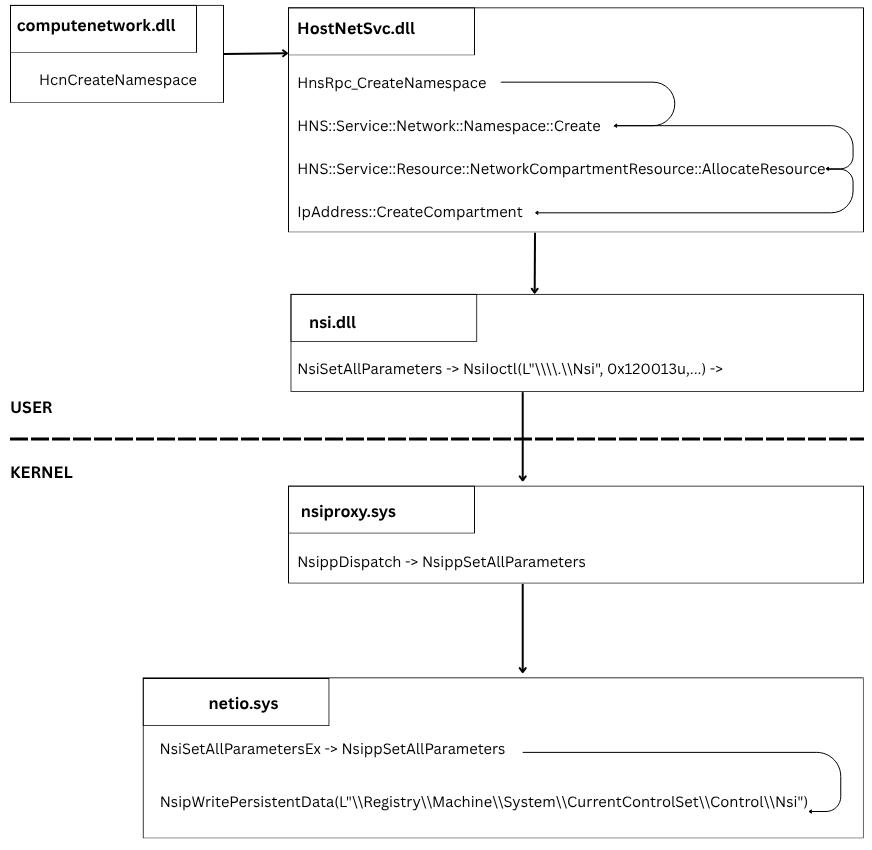
Full call chain for namespaces creation:
COMPARTMENTS
So, to create Namespace (internally implemented via Compartments) we can use Hcn* functions or Nsi* functions.
A traffic from the one Namespace ( Compartment ) can’t get to the others by default.
Let’s search for something compartment-related:
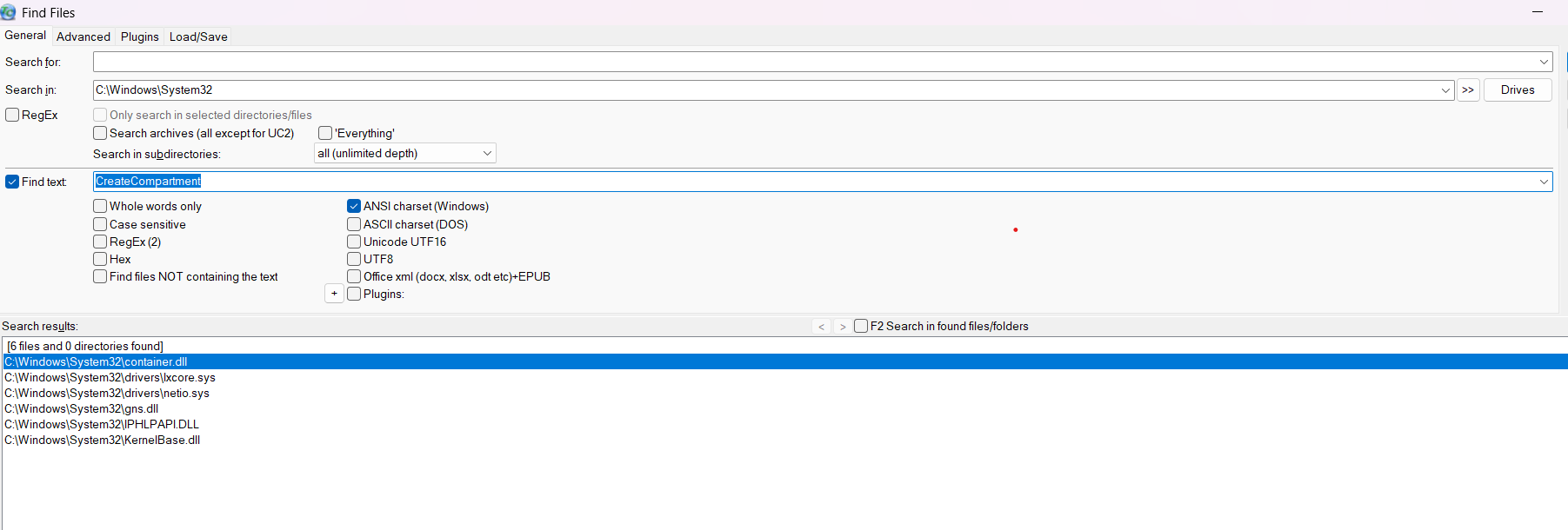
Container.dll sounds promising! There are a lot of the interesting things:
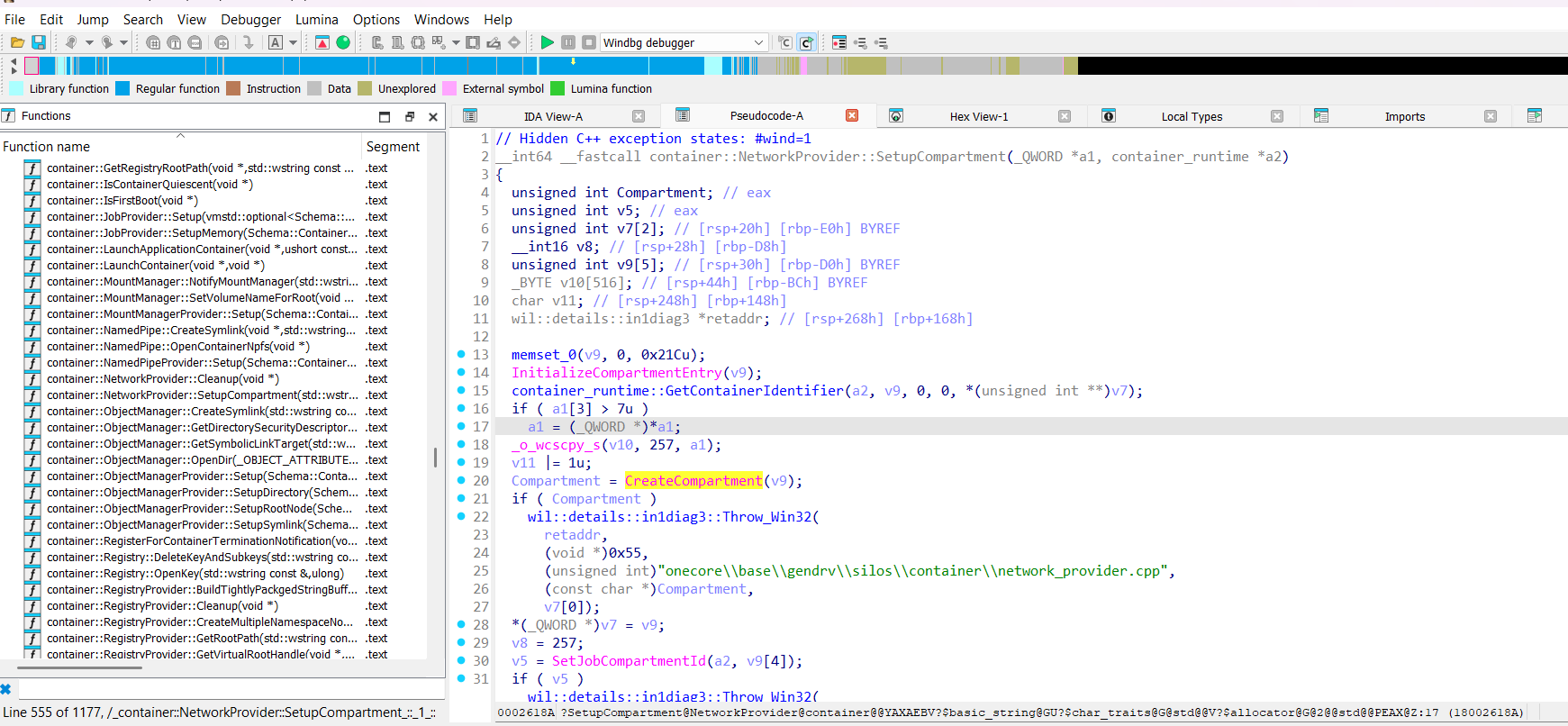
NetworkProvider::SetupCompartment method:
__int64 __fastcall container::NetworkProvider::SetupCompartment(_QWORD *a1, container_runtime *a2)
{
    ....
    memset_0(v9, 0, 0x21Cu);
    InitializeCompartmentEntry(v9);
    container_runtime::GetContainerIdentifier(a2, v9, 0, 0, *(unsigned int **)v7);
    if ( a1[3] > 7u )
        a1 = (_QWORD *)*a1;
    _o_wcscpy_s(v10, 257, a1);
    v11 |= 1u;
    Compartment = CreateCompartment(v9);

}
Functions InitializeCompartmentEntry and CreateCompartment are imported from IPHLPAPI.DLL:
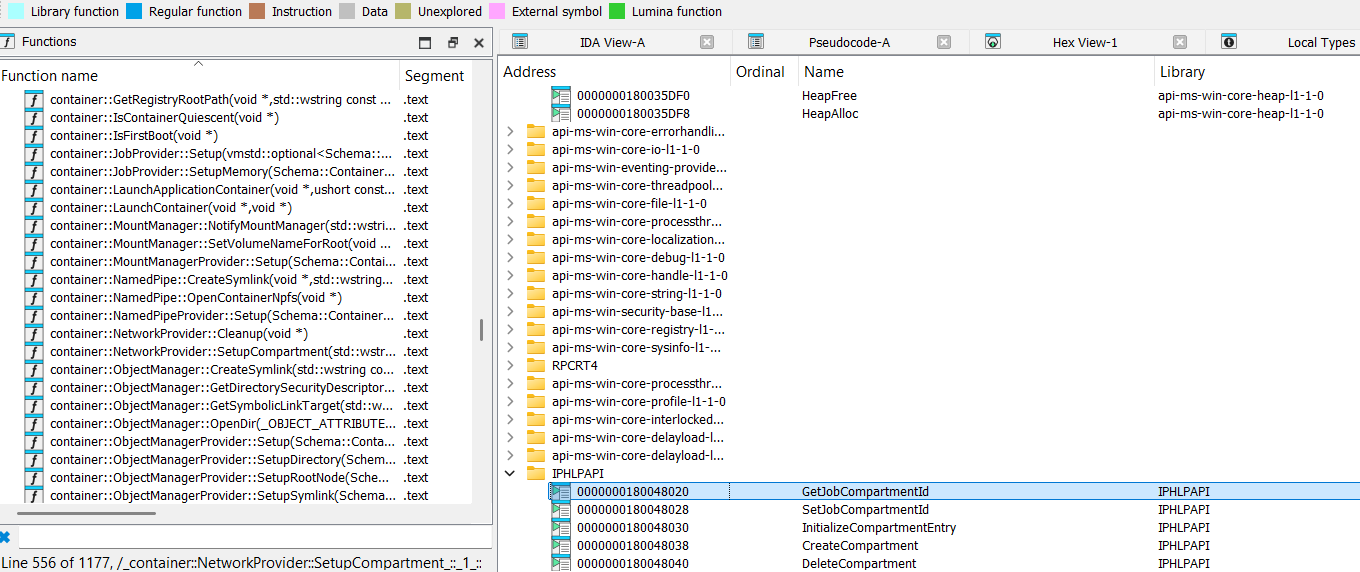
Firstly look at InitializeCompartmentEntry function:
__int64 __fastcall InitializeCompartmentEntry(__int64 a1)
{
    __int64 result; // rax
    memset_0((void *)a1, 255, 0x21Cu);
    result = 0;
    *(_DWORD *)(a1 + 16) = 0;
    *(_WORD *)(a1 + 20) = 0;
  return result;
}
It provides information about compartment entry structure, it has size of the 0x21C bytes and at least two fields one with _DWORD type at 0x10 bytes offset, and other with _WORD type at 0x14 bytes.
Next look at CreateCompartment function:
__int64 __fastcall CreateCompartment(const wchar_t *a1)
{
    _DWORD v4[4]; // [rsp+58h] [rbp-B0h] BYREF
    _DWORD v5[270]; // [rsp+68h] [rbp-A0h] BYREF
    wchar_t pszDest[259]; // [rsp+4B2h] [rbp+3AAh] BYREF
    int v9; // [rsp+6B8h] [rbp+5B0h]
    v4[0] = 0;
    memset_0(v5, 0, 0x668u);
    v5[0] = 107479981;
    ....
    LODWORD(result) = StringCbCopyW(pszDest, 0x202u, a1 + 10);
    ....
    if ( (a1[268] & 1) != 0 )
        v9 |= 4u;
    result = NsiSetAllParameters(1, 1, &NPI_MS_NDIS_MODULEID, 7, v4, 4, v5, 1640);
    ....
}
So, it is obvious that input for CreateCompartment is some structure.
After some manipulations we can reconstruct compartment entry structure:
typedef struct _COMPARTMENT_ENRTY
{
    GUID    Guid;
    DWORD   CompartmentId;
    WORD    DescriptionSize;
    WCHAR   Description[257];
    DWORD   Flags;
    // Structure size: 0x21C (540 bytes)
} COMPARTMENT_ENRTY, *PCOMPARTMENT_ENRTY;
Now we can create our own compartment initializing COMPARTMENT_ENRTY and invoking CreateCompartment from the IPHLPAPI.DLL:
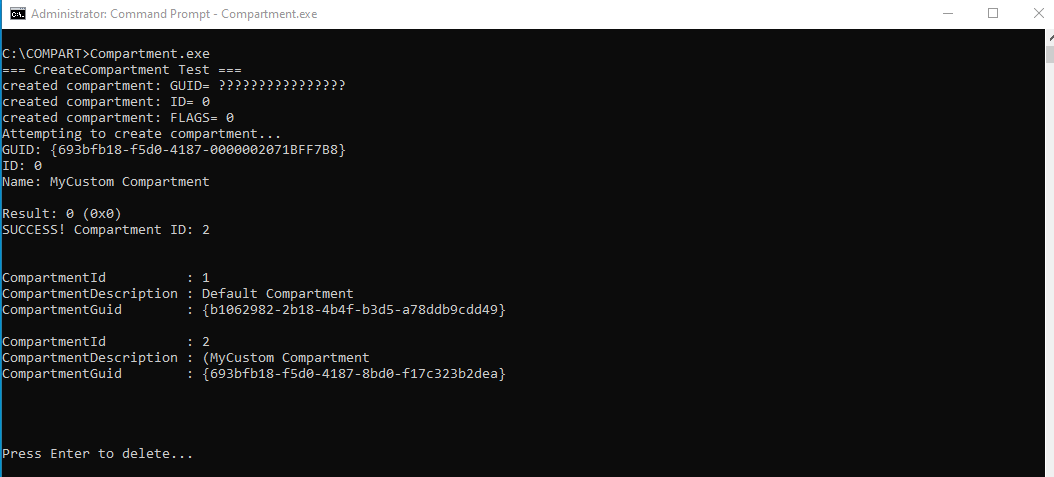
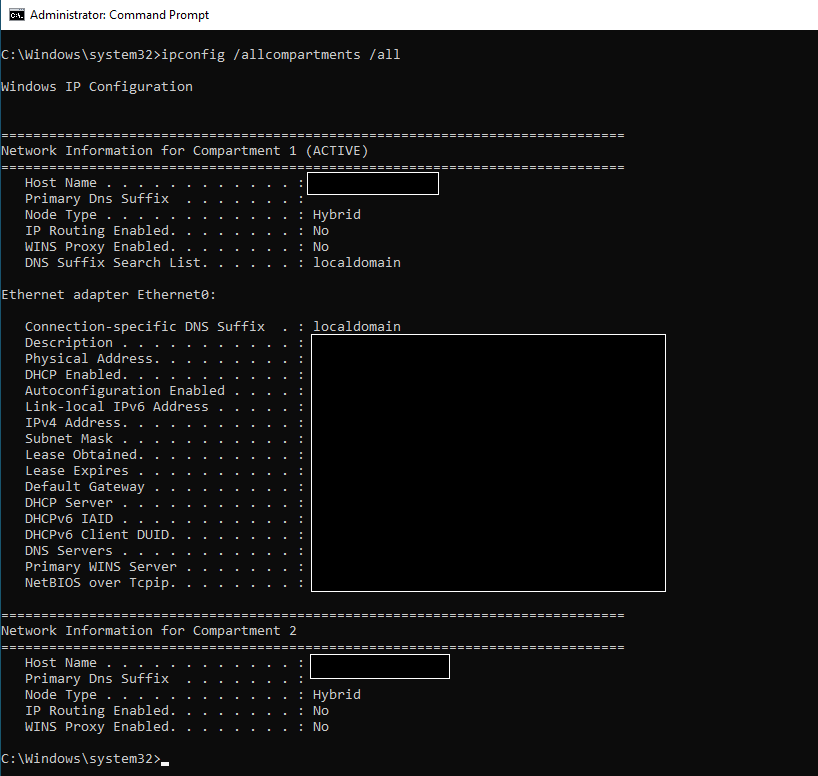
We already know that the root of the isolation is the compartment (namespace) mechanism.
So obviously modules involved in a network stack somehow have to know about the compartment.
For user mode we have ap exported by IPHLPAPI.DLL like:
GetCurrentThreadCompartmentId
GetSessionCompartmentId
GetCurrentThreadCompartmentScope
GetJobCompartmentId
GetInterfaceCompartmentId

SetCurrentThreadCompartmentId
SetSessionCompartmentId
SetCurrentThreadCompartmentScope
SetJobCompartmentId
SetInterfaceCompartmentId
For kernel mode we have api exported by ndis.sys like:
NdisGetThreadObjectCompartmentId
NdisGetSessionCompartmentId
NdisGetProcessObjectCompartmentId
NdisGetJobObjectCompartmentId
NdisGetThreadObjectCompartmentScope

NdisSetThreadObjectCompartmentId
NdisSetSessionCompartmentId
NdisSetProcessObjectCompartmentId
NdisSetJobObjectCompartmentId
NdisSetThreadObjectCompartmentScope
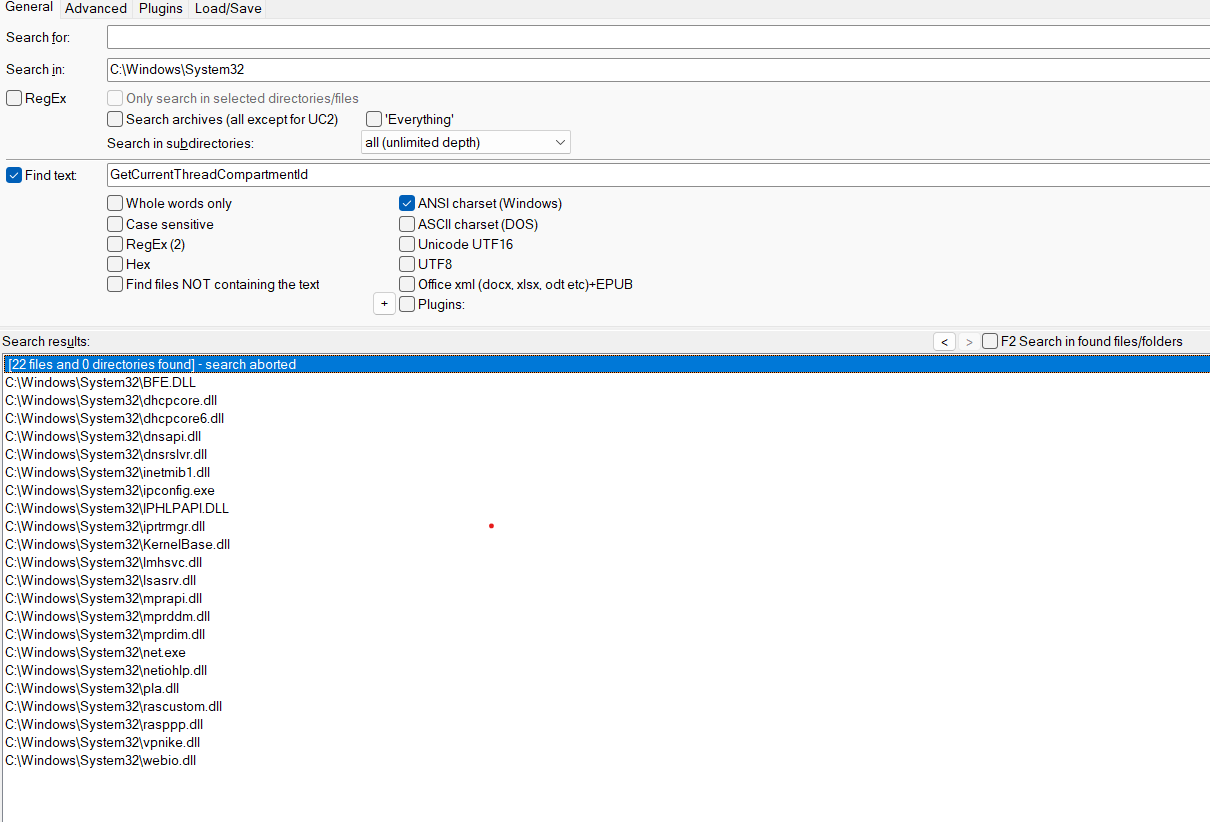
So modules involved in a network stack can just call this api to get a compartment and perform appropriate actions regarding compartment information. It is called ‘module is compartment-aware’. And if we do search for this api on disk C: we see that it is true:
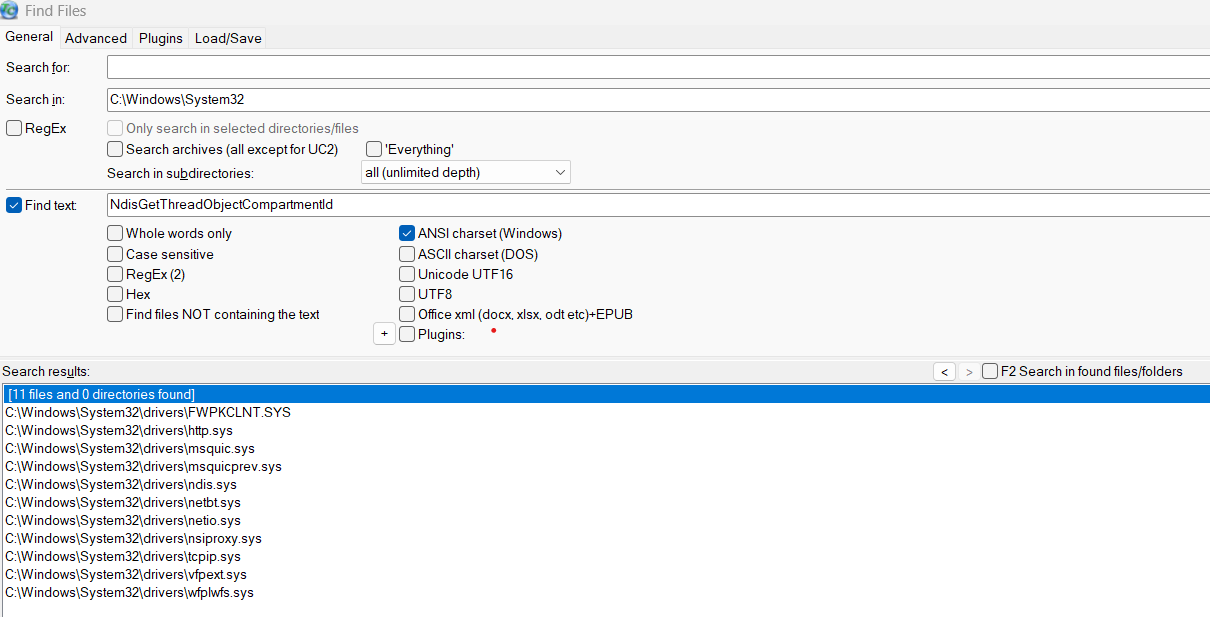
For example let’s see at exported from netio.sys function GetIpPath:
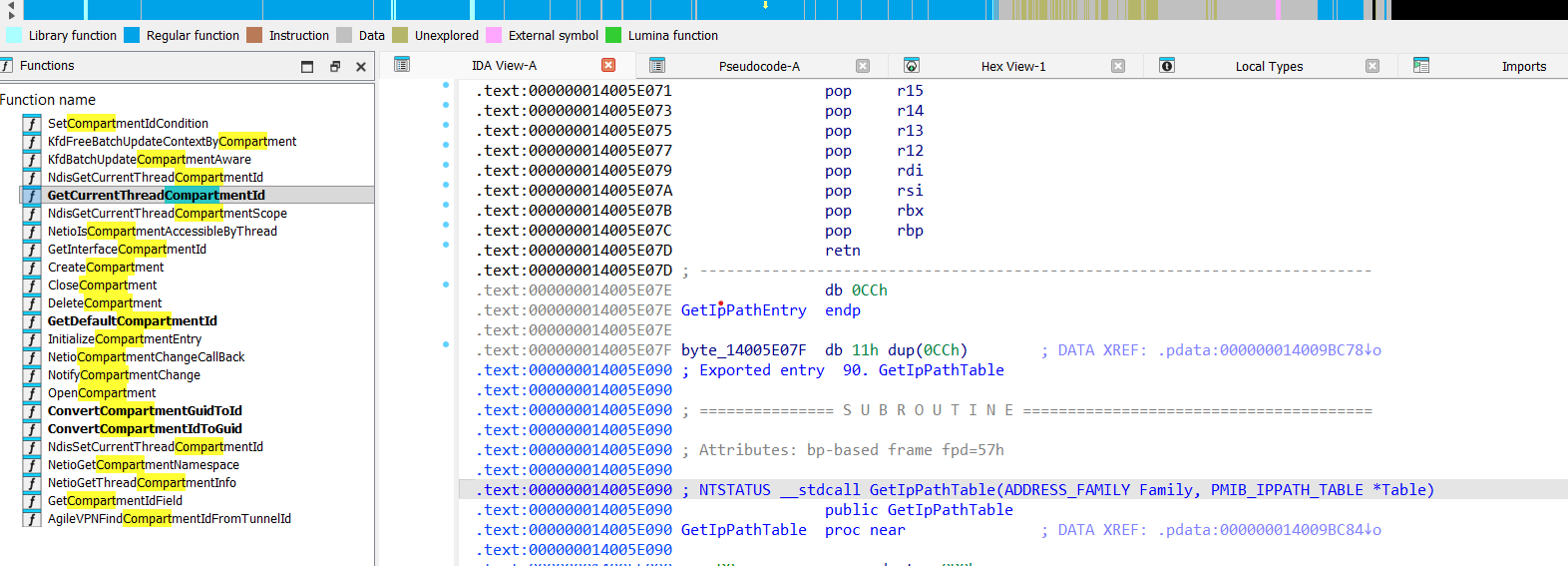
Here is reconstructed code for GetIpPath function, that fill ip path based on compartment:
NTSTATUS __stdcall GetIpPathTable(ADDRESS_FAMILY Family,  PMIB_IPPATH_TABLE *Table)
{
    ....
    ULONG CurrentCompartmentId = GetCurrentThreadCompartmentId();
    ....
    // Get path table for each family
    for (FamilyIndex = 0; FamilyIndex < 2; FamilyIndex++) {
        GetModuleIdFromFamily(FamilyTable[FamilyIndex], &ModuleId);
        // Allocate and retrieve NSI path table
        NTSTATUS Status = NsiAllocateAndGetTable(&ModuleId, .... pathPtr, keyPtr, rodPtr,
                                                    &FamilyData[FamilyIndex].NumEntries);
        // Count entries matching current compartment
        ....
        for (DWORD i = 0; i < FamilyData[FamilyIndex].NumEntries; i++) {
                PVOID keyEntry = (PBYTE)pathBase + (i * keySize);
                if (*(PULONG)keyEntry == CurrentCompartmentId) {
                    TotalEntries++;
                }
            }
        }
    }
    // Allocate output MIB table
    Status = NetioAllocateMibTable(TotalEntries, MIB_IPPATH_TABLE_VERSION, &PathTable);
    for (FamilyIndex = 0; FamilyIndex < 2; FamilyIndex++) {
        for (i = 0; i < FamilyData[FamilyIndex].NumEntries; i++) {
            ....
            if (*(PULONG)keyEntry == CurrentCompartmentId) {
                // Fill MIB_IPPATH_ROW entry
                FillIpPathEntry( (PMIB_IPPATH_ROW)((PBYTE)PathTable + .....);
                OutputIndex++;
            }
        }
    }
    *Table = PathTable;
    ....
}
KERNEL
We already know that CreateCompartment from the IPHLPAPI.DLL leads to the netio.sys -> NsiSetAllParametersEx
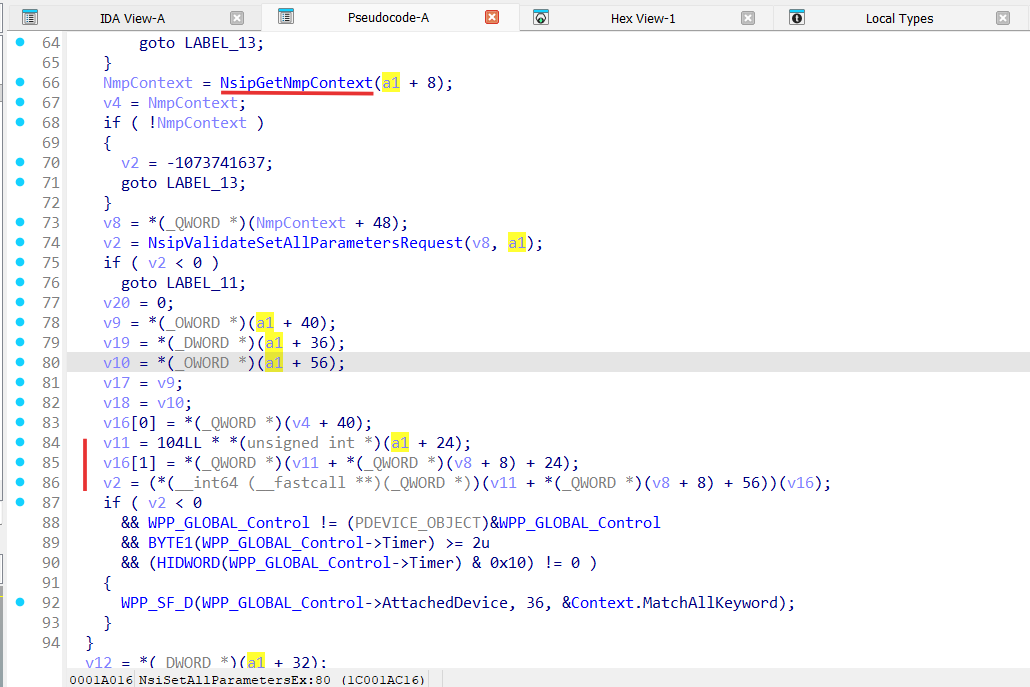
Analyzing NsiSetAllParametersEx function we can see that it gets a pointer to the some network manager provider and calls the handler for SetAllParameters from this provider:
v11 = 104LL * *(unsigned int *)(a1 + 24);
v16[1] = *(_QWORD *)(v11 + *(_QWORD *)(v8 + 8) + 24);
v2 = (*(__int64 (__fastcall **)(_QWORD *))(v11 + *(_QWORD *)(v8 + 8) + 56))(v16);
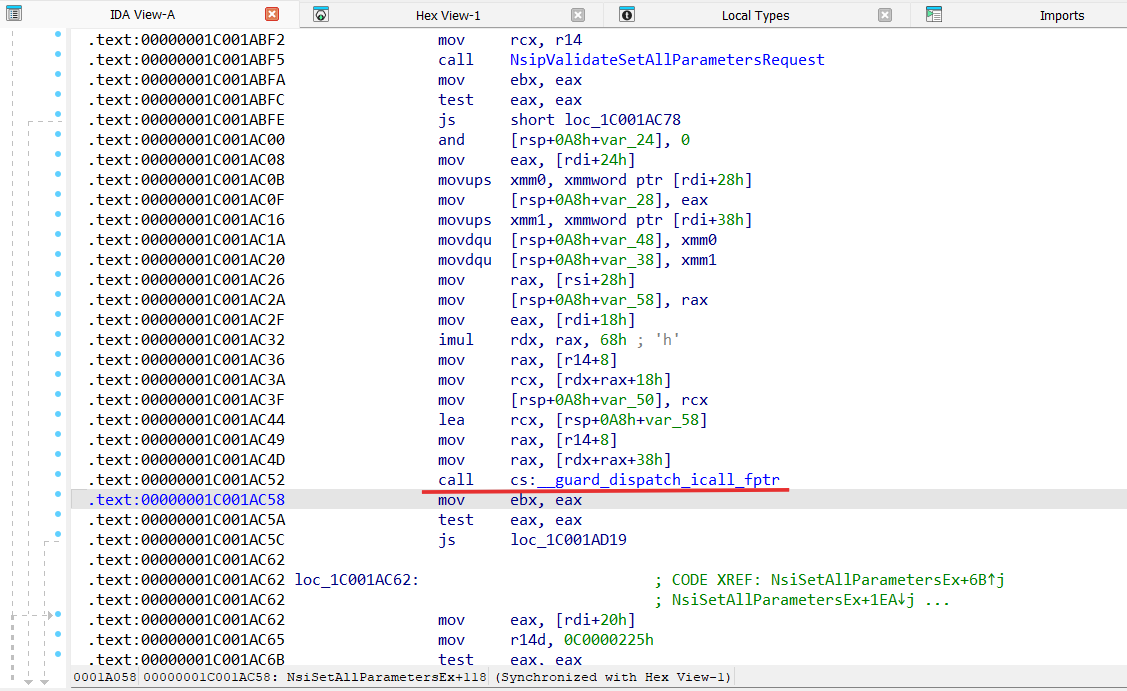
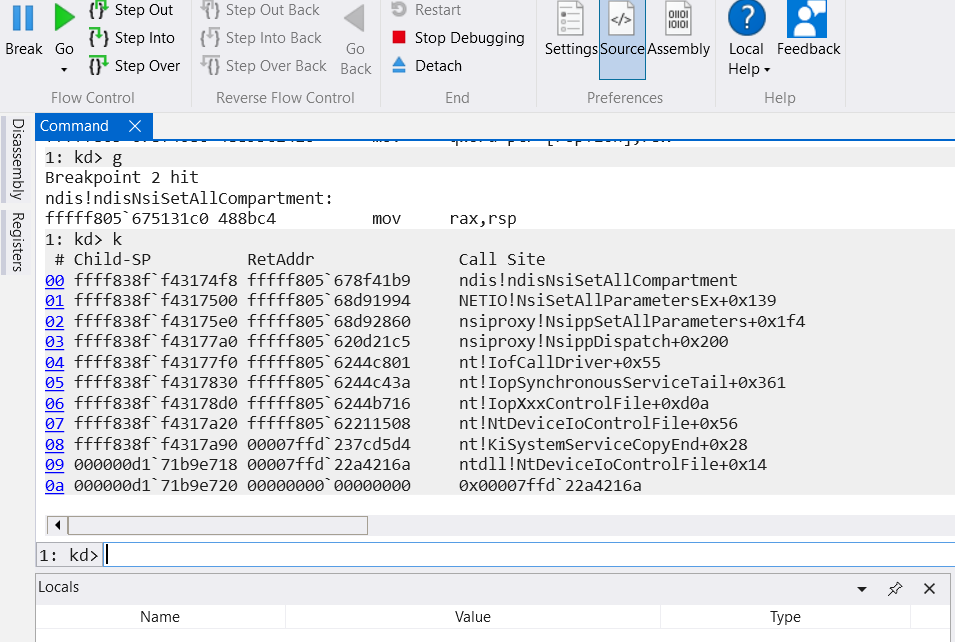
Let’s run a Windbg kernel debug session, install a break point on the netio!NsiSetAllParametersEx and run our console application that creates a compartment.
After we ran the application stopped at the netio!NsiSetAllParametersEx in the Windbg, and during indirect call through CFG (Control Flow Guard) we landed at ndis!ndisSetAllCompartment function:
NDIS
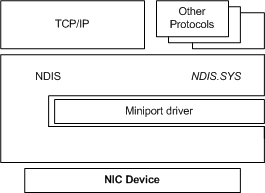
NDIS stands for Network Driver Interface Specification.
It is the core networking framework in Windows — a kernel subsystem and API standard that defines how network interface drivers interact with the operating system and each other:
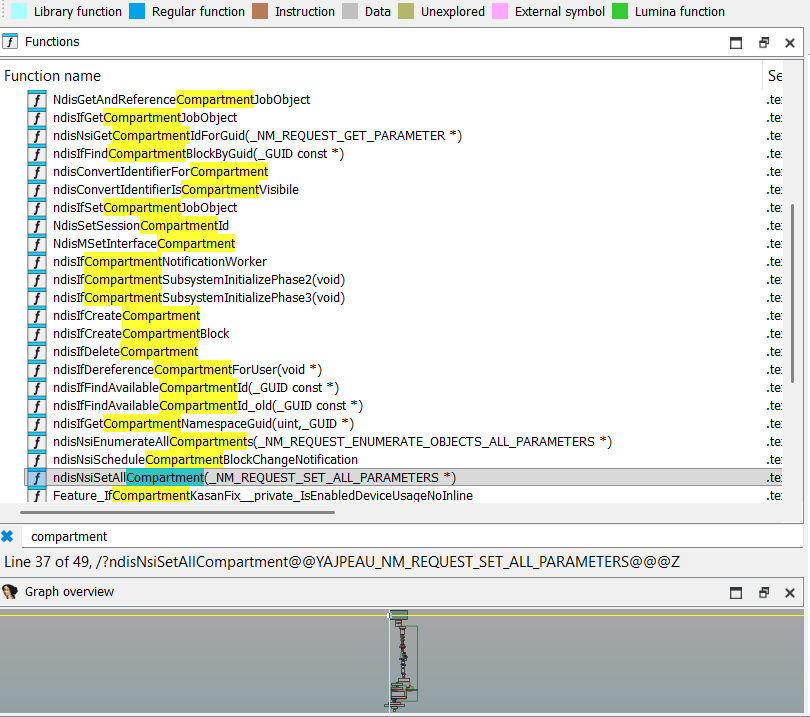
Let’s analyze ndis.sys for any compartment-aware functionality:
Functionality of the ndisSetAllCompartments:
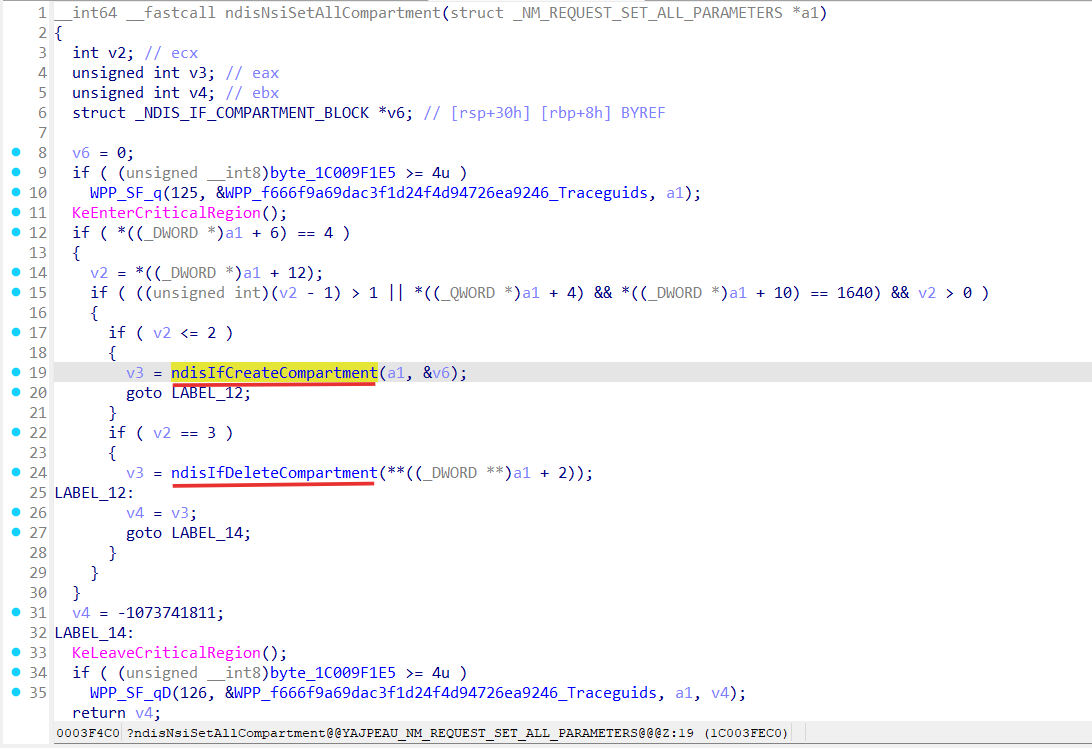
So, ndisSetAllCompartments based on input parameters can create or delete the compartment (ndisIfCreateCompartment/ndisIfDeleteCompartment).
Let’s see what ndisIfCreateCompartment does:
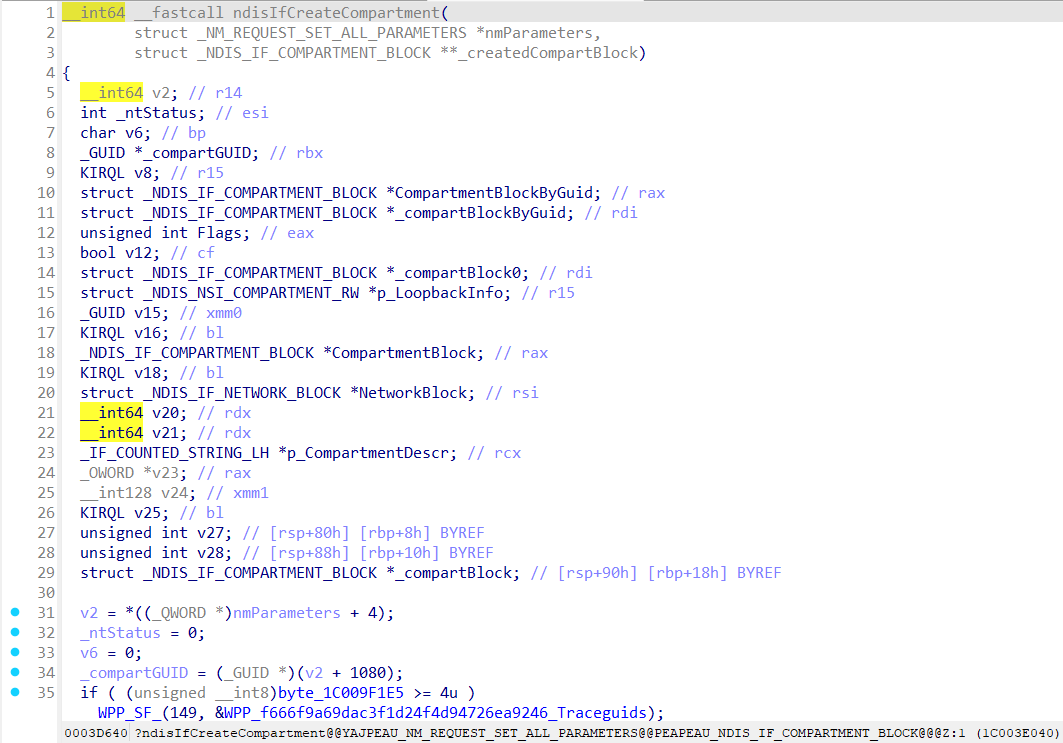
Setup namespace guid as provided compartment guid:
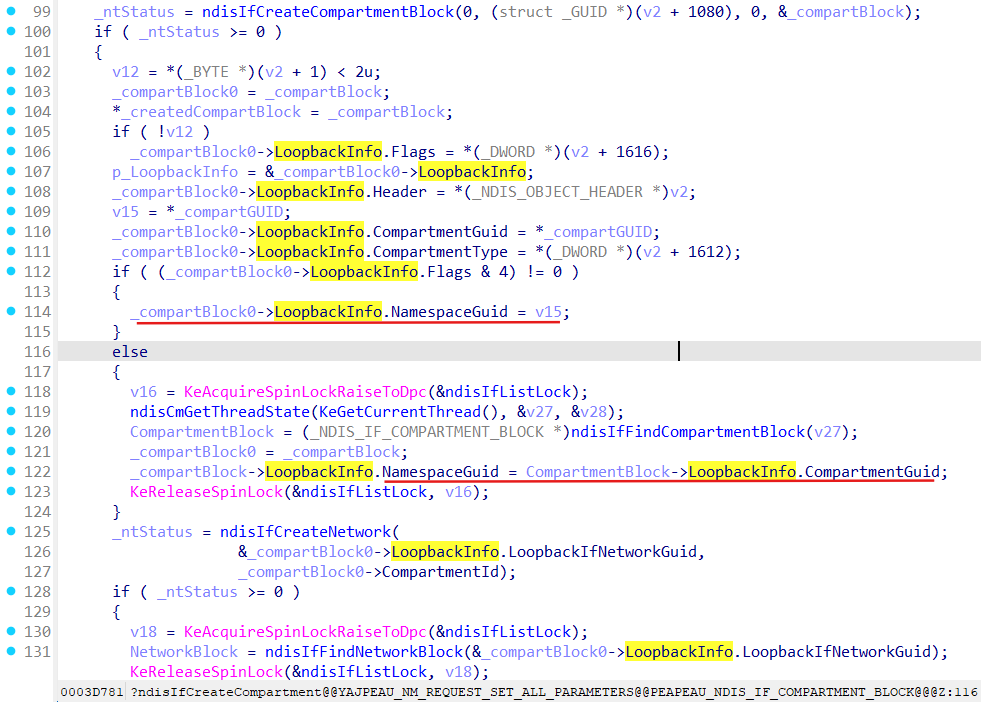
LoopbackIfNetworkGuid and CompartmentId get set up in the ndisIfCreateCompartmentBlock function:
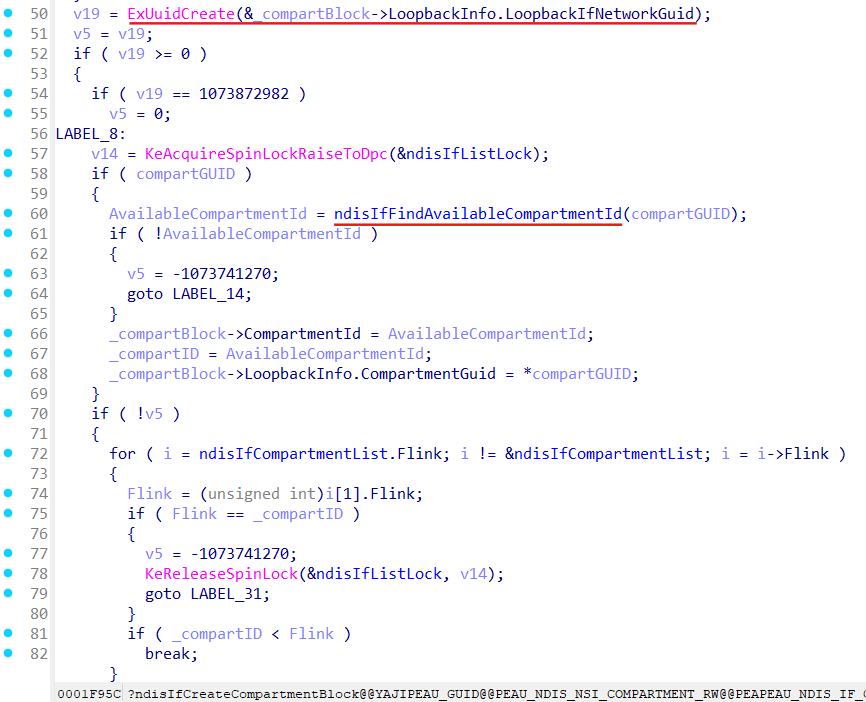
Network gets created with guid from the generated LoopbackIfNetworkGuid:
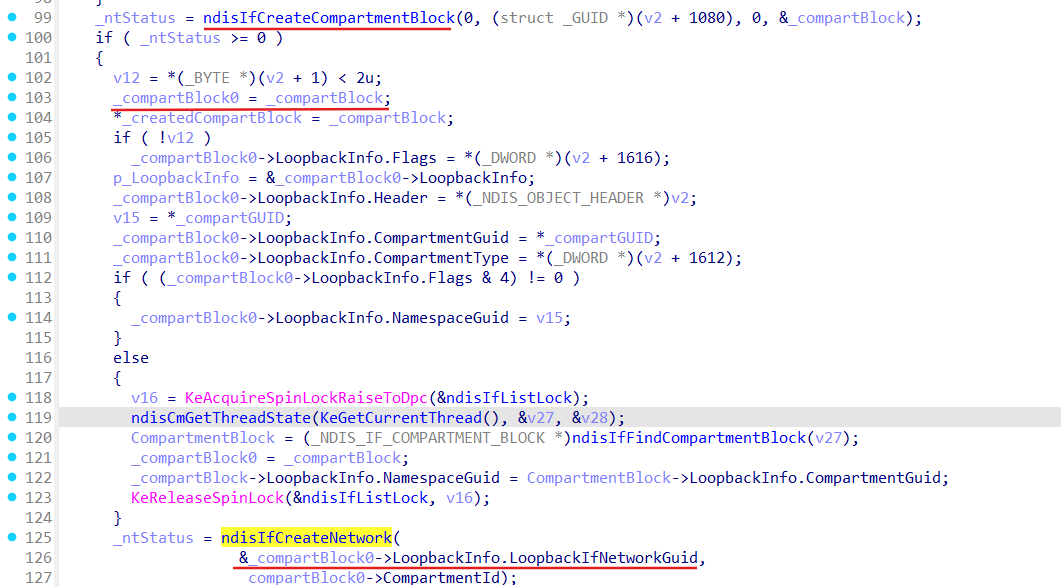
Loopback interface creation:
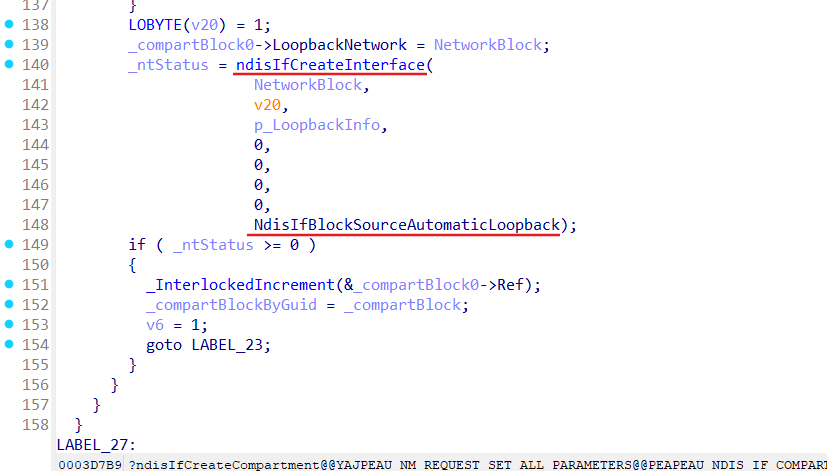
What we can see here is that for each compartment Loopback interface must be created (obviously to not reach host Loopback from the Namespaces).
Compartments creation call chain:
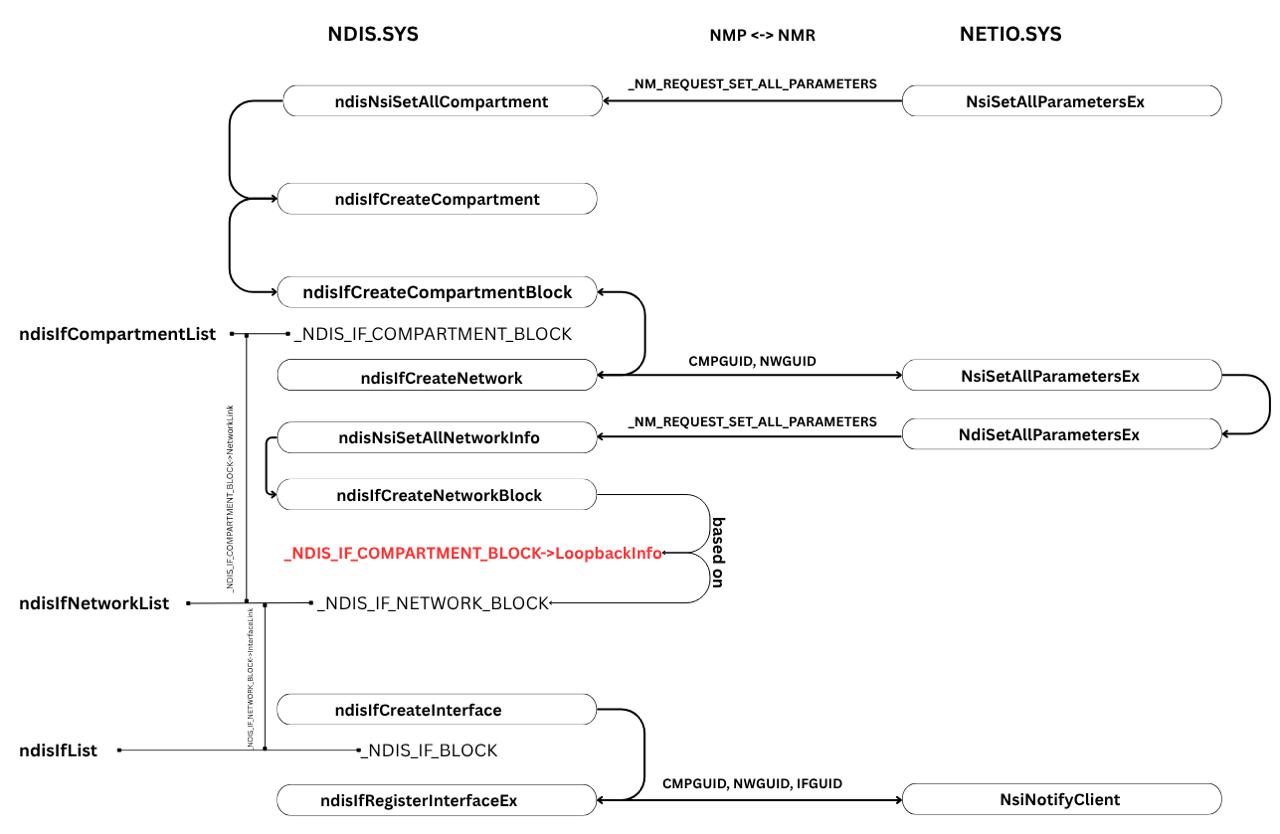
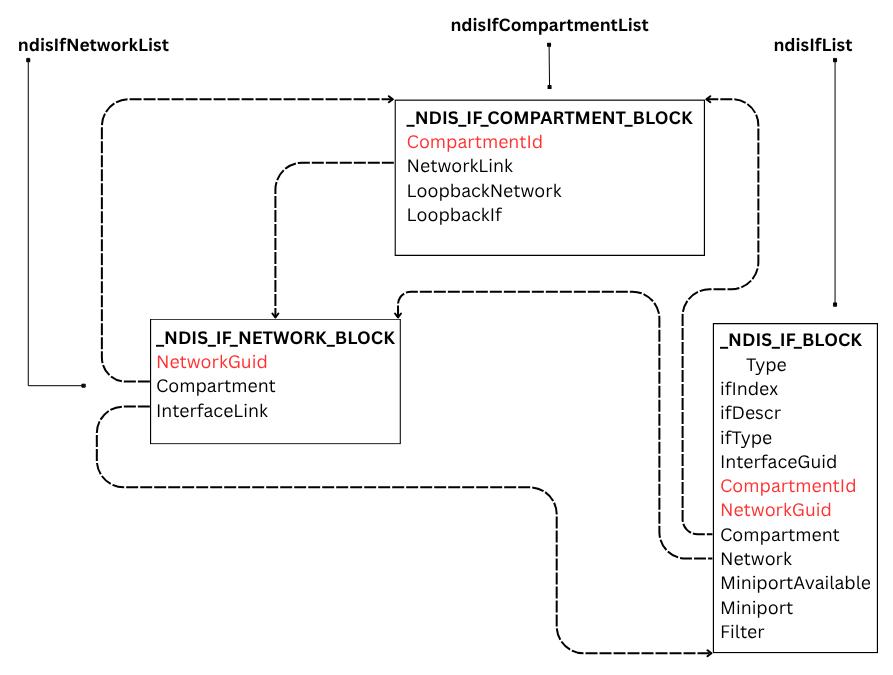
Objects links involved to the compartment creation :
Debugging our compartment creation we can observe that “Software Loopback Interface 2” with InterfaceGuid {a3470f2f-b255-11f0-921d-000c29bc37c7} gets created and attached to newly created Network with NetworkGuid {a3470f2e-b255-11f0-921d-000c29bc37c7}:
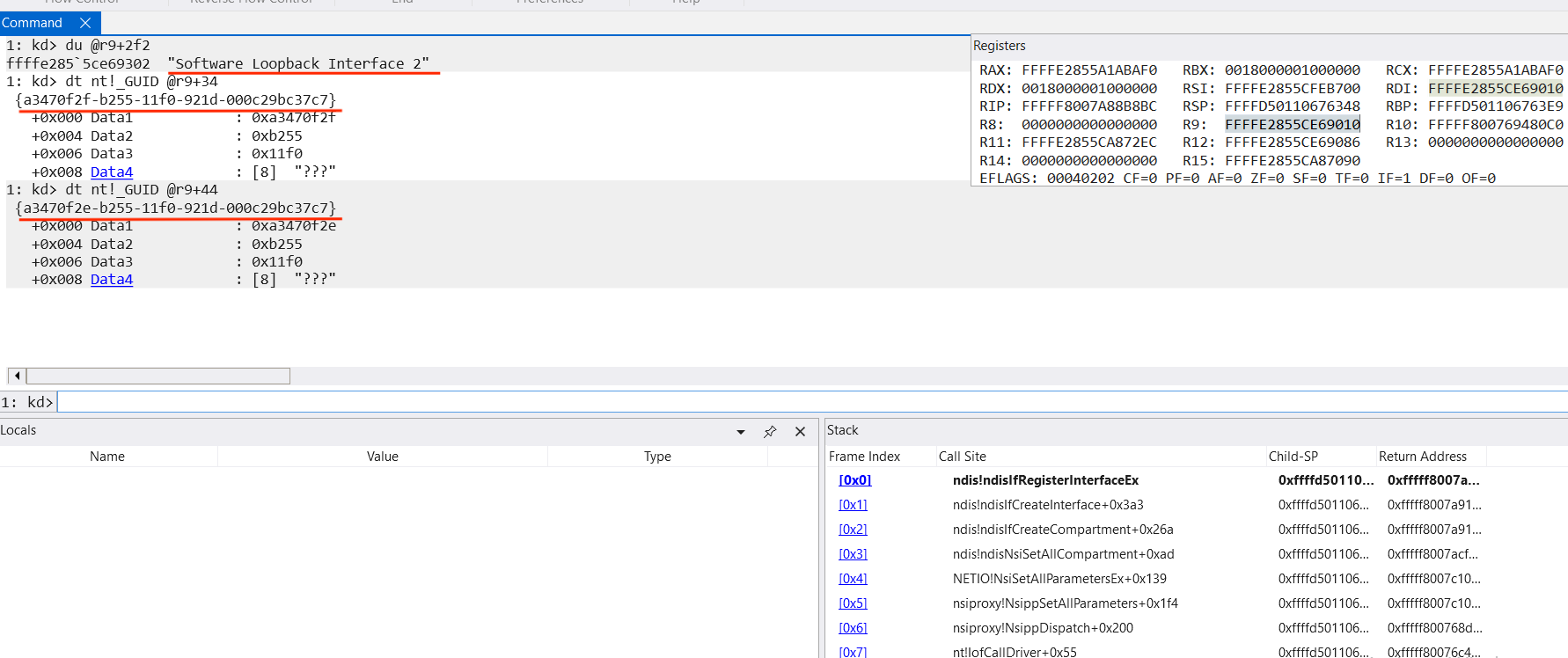
Call stack for compartment creation from Windbg:
kd> k
fffff987`d3cc2dff fffff800`6c96a460   ndis!ndisIfRegisterInterfaceEx
fffff987`d3cc2dff fffff800`6c915447   ndis!ndisIfCreateInterface
fffff987`d3cc2d98 fffff800`6c915246   ndis!ndisIfCreateNetworkBlock
fffff987`d3cc2da0 fffff800`6ccf41b9   ndis!ndisNsiSetAllNetworkInfo+0x356
fffff987`d3cc3080 fffff800`6c987ad1   NETIO!NsiSetAllParametersEx+0x139
fffff987`d3cc3160 fffff800`6c9128a5   ndis!ndisIfCreateNetwork+0xf9
fffff987`d3cc3430 fffff800`6c91326d   ndis!ndisIfCreateCompartment+0x1ed
fffff987`d3cc34b0 fffff800`6ccf41b9   ndis!ndisNsiSetAllCompartment+0xad
fffff987`d3cc3500 fffff800`6fd91994   NETIO!NsiSetAllParametersEx+0x139
fffff987`d3cc35e0 fffff800`6fd92860   nsiproxy!NsippSetAllParameters+0x1f4
fffff987`d3cc37a0 fffff800`676d21c5   nsiproxy!NsippDispatch+0x200
fffff987`d3cc37f0 fffff800`67a4c801   nt!IofCallDriver+0x55
fffff987`d3cc3830 fffff800`67a4c43a   nt!IopSynchronousServiceTail+0x361
fffff987`d3cc38d0 fffff800`67a4b716   nt!IopXxxControlFile+0xd0a
fffff987`d3cc3a20 fffff800`67811508   nt!NtDeviceIoControlFile+0x56
fffff987`d3cc3a90 00007ffd`abe2d5d4   nt!KiSystemServiceCopyEnd+0x28
0000006d`e439e688 00007ffd`ab3d216a   ntdll!NtDeviceIoControlFile+0x14
0000006d`e439e690 00000000`00000000   0x00007ffd`ab3d216a
So, during compartment creation following objects are set up:
- _NDIS_IF_COMPARTMENT_BLOCK;
- _NDIS_IF_NETWORK_BLOCK, linked to _NDIS_IF_COMPARTMENT_BLOCK;
- _NDIS_IF_BLOCK for Loopback Interface, linked to _NDIS_IF_NETWORK_BLOCK;
Obviously our compartment is almost empty, it doesn’t contain any interfaces that point to the real or virtual adapters, only the loopback interface. We should somehow add a working interface to our compartment. But to add an interface firstly we should create it.
How is it linked to a real (or virtual) communication channel?
Microsoft says that a miniport driver communicates with its NICs (network interface card) and with higher-level drivers through the NDIS library.
So the underlying component for an interface is miniport (real or virtual). An interface is linked to a miniport.
INTERFACE
According to Microsoft documentation a network interface is the point where two pieces of network equipment or protocol layers connect. Network interfaces are defined by the Internet Engineering Task Force (IETF) in RFC 2863 ([ RFC 2863 ]). An interface is just an abstraction for underlying components.
[ https://learn.microsoft.com/en-us/windows/win32/network-interfaces ]
In the ndis.sys interface is presented as _NDIS_IF_BLOCK:
_NDIS_IF_BLOCK
ifIndex         	: Uint4B
ifDescr         	: _IF_COUNTED_STRING_LH
ifType           	: Uint2B
InterfaceGuid   	: _GUID
CompartmentId   	: Uint4B
Compartment     	: Ptr64 _NDIS_IF_COMPARTMENT_BLOCK
NetLuid         	: _NET_LUID_LH
NetworkGuid     	: _GUID
NetworkLink     	: _LIST_ENTRY
Network         	: Ptr64 _NDIS_IF_NETWORK_BLOCK
MiniportAvailable 	: UChar
Miniport         	: Ptr64 _NDIS_MINIPORT_BLOCK
Filter           	: Ptr64 _NDIS_FILTER_BLOCK
_NDIS_IF_BLOCK get created by the ndisIfCreateInterface with help of the ndisIfRegisterInterfaceEx function:
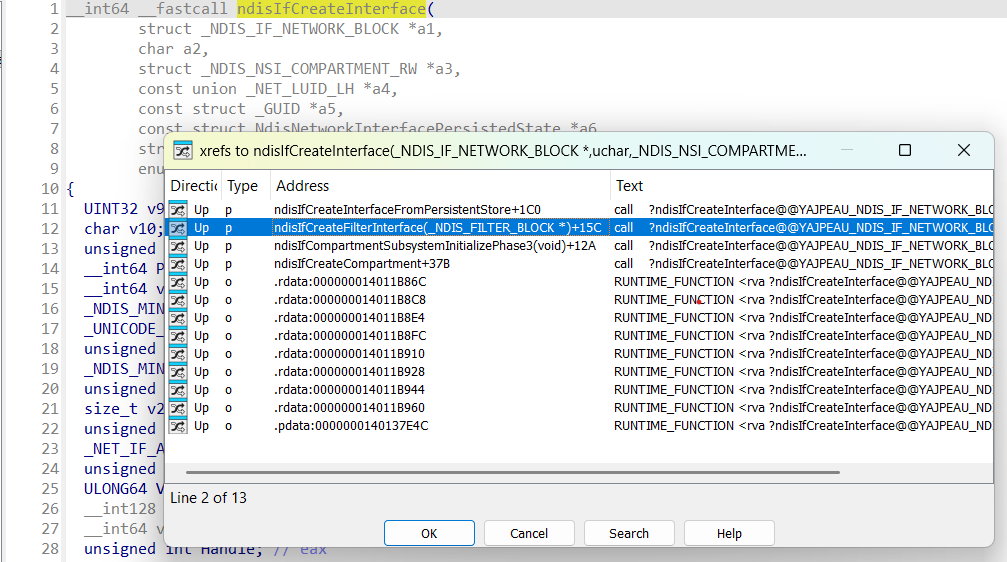
ndisIfRegisterInterfaceEx performs registration of the newly created _NDIS_IF_BLOCK into the NDIS stack:
- allocates interface index (ndisIfAllocateIfIndex);
- links interface to the corresponding network (ndisIfFindNetworkBlock);
- link compartment to the interface (CompartmentId and Compartment fields);
- notifies NSI clients (ndisNsiNotifyClientInterfaceChange);
We have already analyzed ndisIfCreateCompartment function, which actually creates only loopback interface:
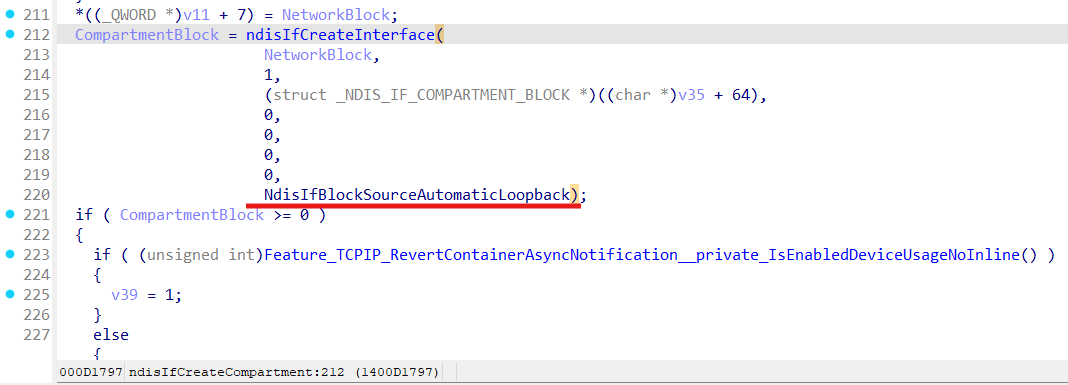
Interfaces for loopback get also created during NDIS initialization in ndisIfCompartmentSubsystemInitializePhase3 function:
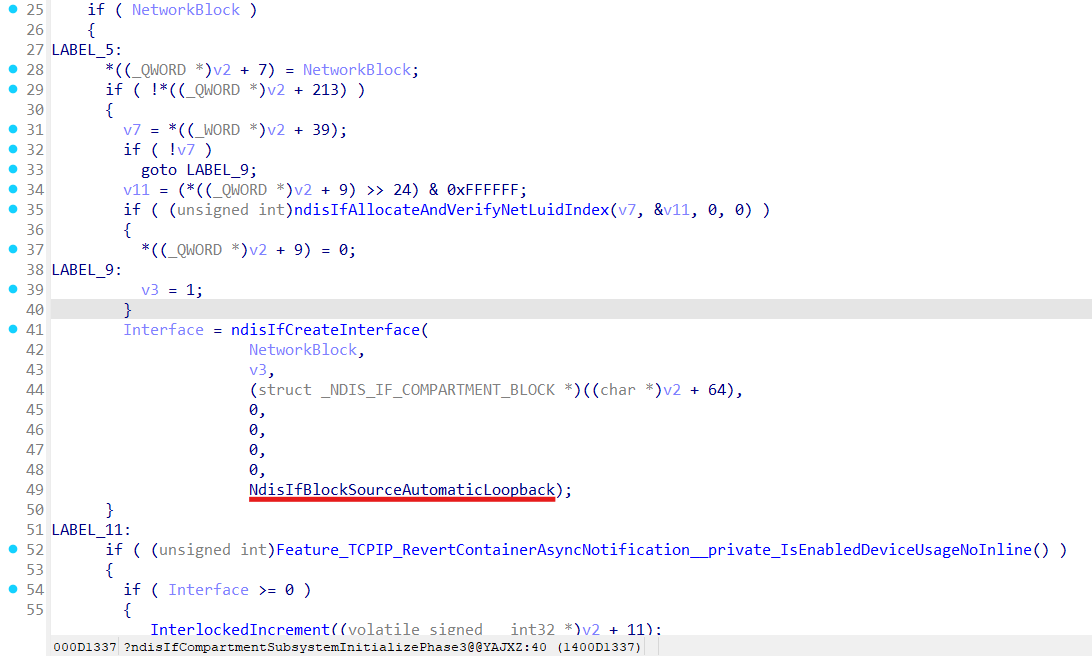
Interface for lightweight filter (LWF - [ NDIS LWF ]) gets created in ndisIfCreateFilterInterface function:
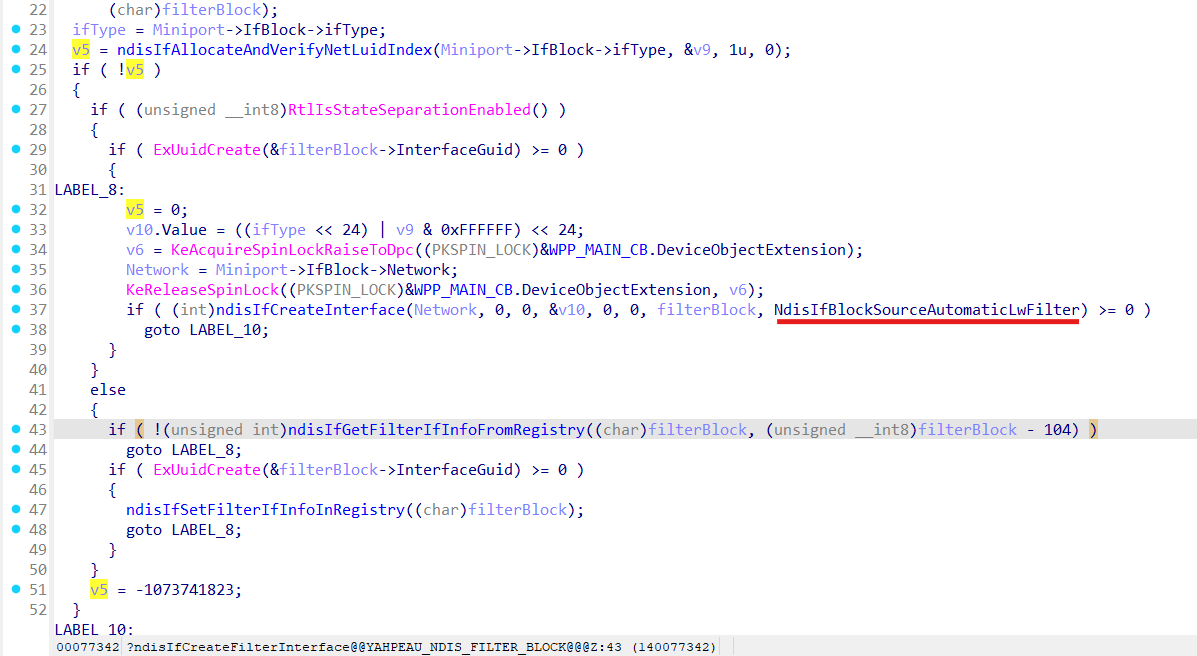
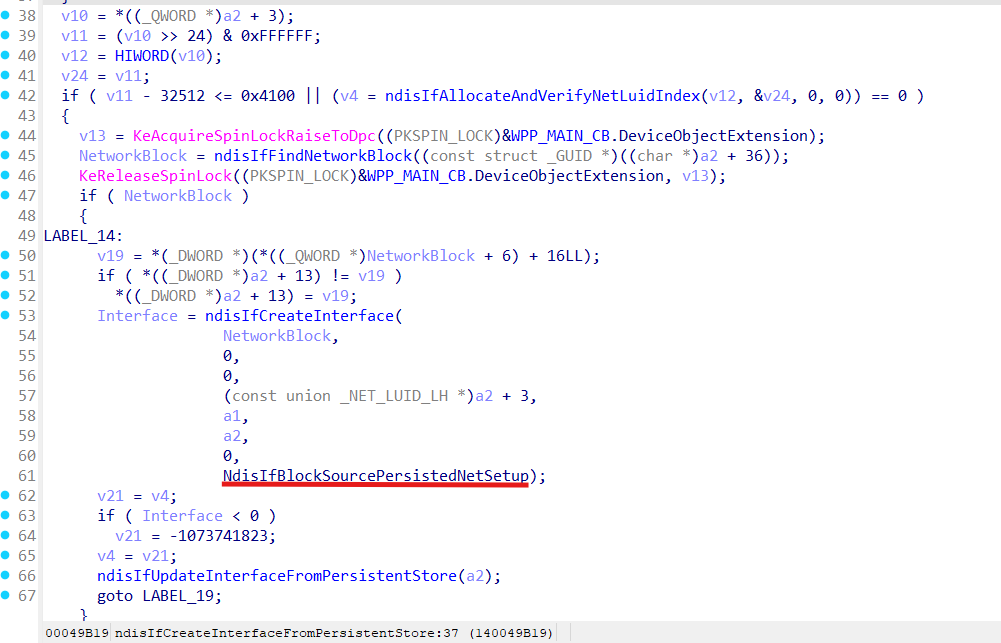
Interface for usual network setup installation [ network setup installation ] gets created in ndisIfCreateInterfaceFromPersistentStore function:
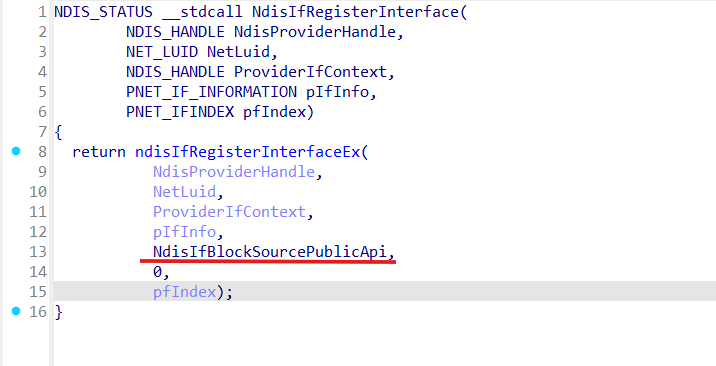
Interfaces created by third-party components just get registered via exported from the ndis.sys NdisIfRegisterInterface as:
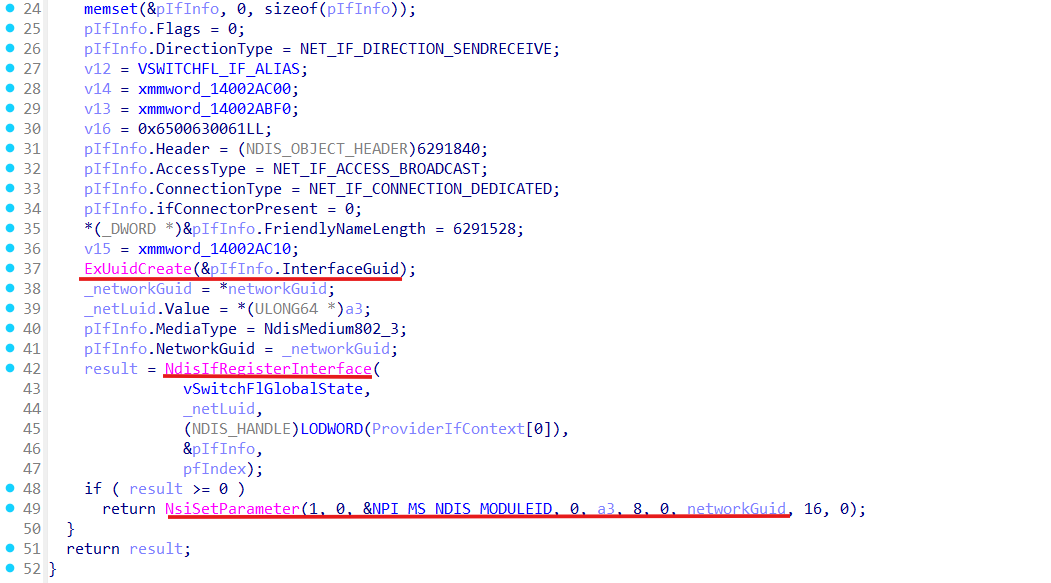
For instance wfplwfs.sys (WFP NDIS LWF Driver implementing WFP subsystem) use NdisIfRegisterInterface inside vSwitchFlpCreateAdapter function:
The remaining part here is to find the place where the interface gets attached to a miniport.
MINIPORT
According to Microsoft documentation a miniport driver communicates with its NICs and with higher-level drivers through the NDIS library. The NDIS library exports a full set of functions (NdisMXxx and other NdisXxx functions) that encapsulate all of the operating system functions that a miniport driver must call.
An NDIS miniport driver has two basic functions:
- Managing a network interface card, including sending and receiving data through this interface;
- Interfacing with higher-level drivers, such as filter drivers, intermediate drivers, and protocol drivers;
In ndis.sys miniport is presented as _NDIS_MINIPORT_BLOCK:
_NDIS_MINIPORT_BLOCK
InterfaceGuid    	: _GUID
NetLuid          	: _NET_LUID_LH
IfBlockAvailable 	: UChar
IfBlock          	: Ptr64 _NDIS_IF_BLOCK
IfIndex         	: Uint4B
Miniport is created in the ndisAddDevice function:
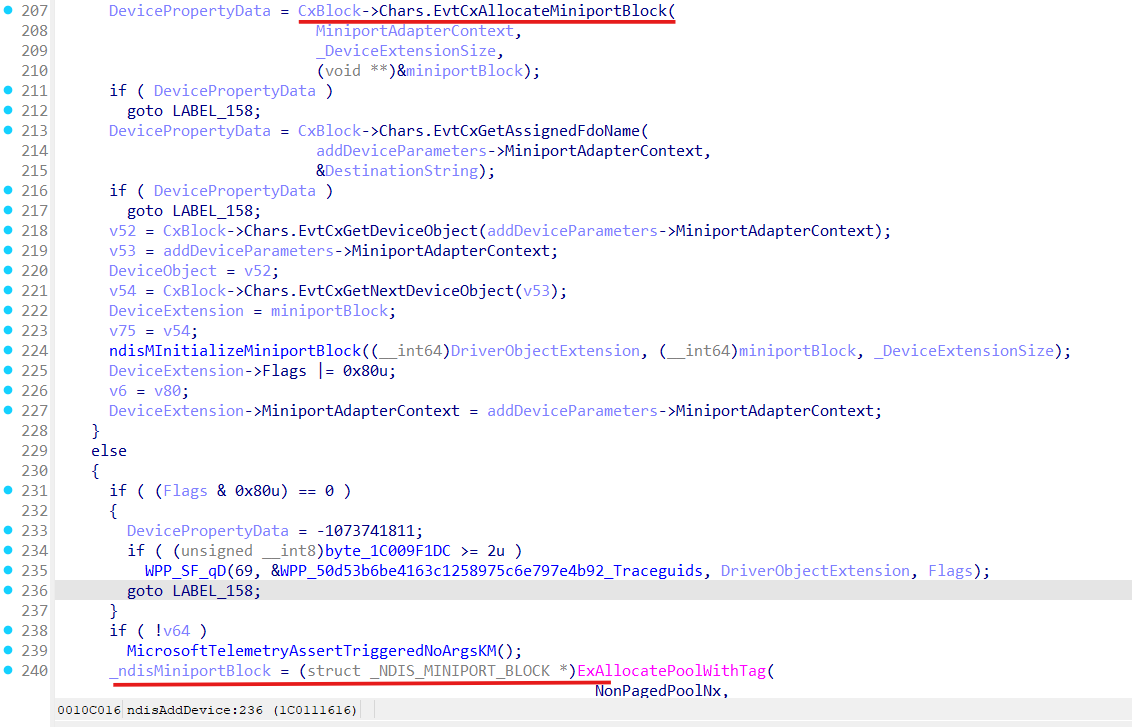
ndisAddDevice gets invoked from the two places, ndisPnPAddDevice and ndisLWMCreateMiniport functions.
ndisLWMCreateMiniport is used by NetAdapterCx ([ netcx ]), ndisPnPAddDevice gets invoked during devices (real or virtual) detection by PnP manager ([ state-transitions-for-pnp-devices ]).
Let’s analyze ndisAddDevice function:
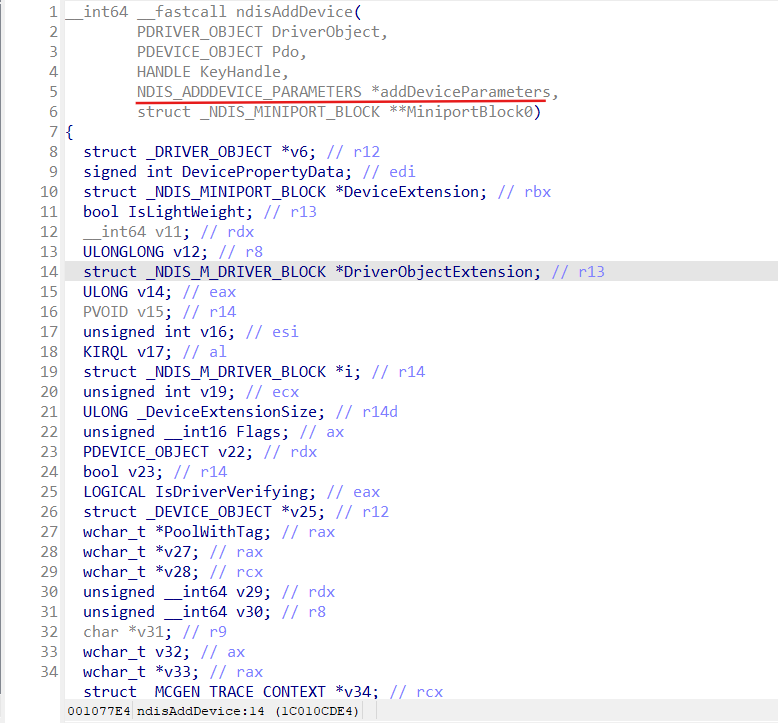
NDIS_ADDDEVICE_PARAMETERS is filled in the ndisPnPAddDevice function before invoking ndisAddDevice:
NDIS_ADDDEVICE_PARAMETERS
InterfaceGuid		: _GUID
NetLuid         	: _NET_LUID_LH
HideInUi         	: Bool
MiniBlock        	: Ptr64 _NDIS_M_DRIVER_BLOCK
ndisPnPAddDevice reads information about the interface from the registry key HKLM\SYSTEM\CurrentControlSet \Control\Class{4d36e972-e325-11ce-bfc1-08002be10318}{devId} and also interface guid (HKLM\SYSTEM\CurrentControlSet\Control\Class{4d36e972-e325-11ce-bfc1-08002be10318}{devId}\NetCfgInstanceId), this information gets into registry during network component installation.
ndisAddDevice basing on the provided NDIS_ADDDEVICE_PARAMETERS finds corresponding interface in the ndisIfList (ndisIfFindInterfaceByInterfaceGuid), and updates this interface with help of ndisIfUpdateInterfaceOnAddDevice:
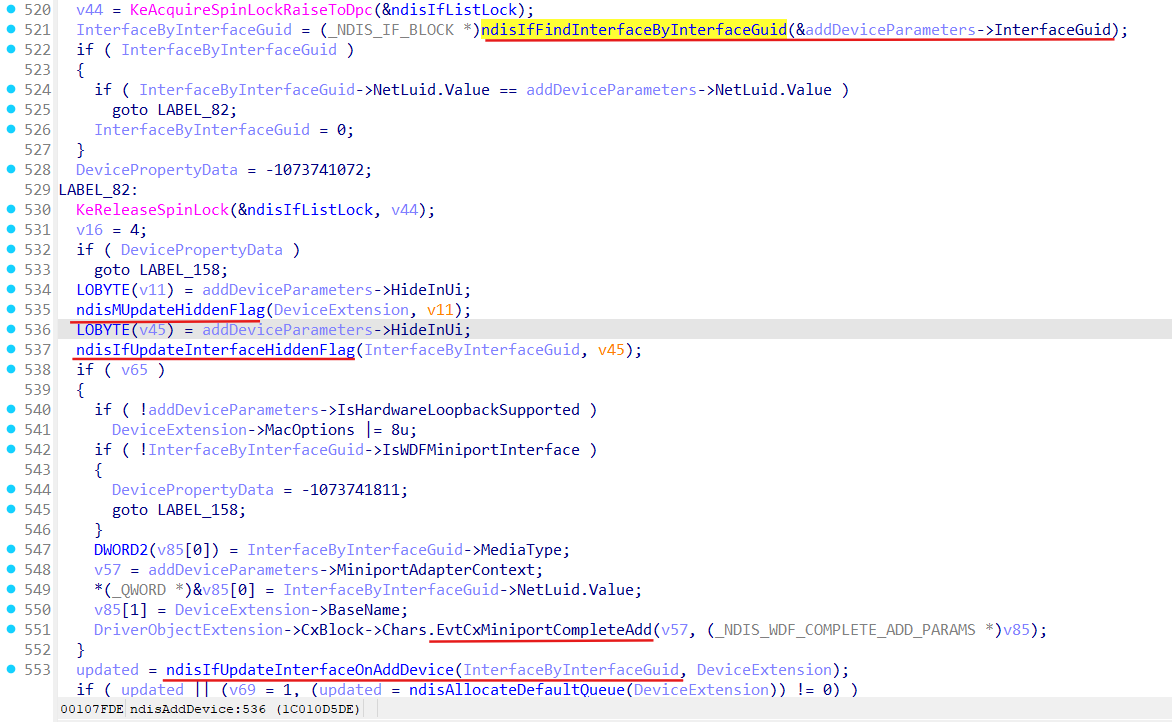
ndisIfUpdateInterfaceOnAddDevice function:
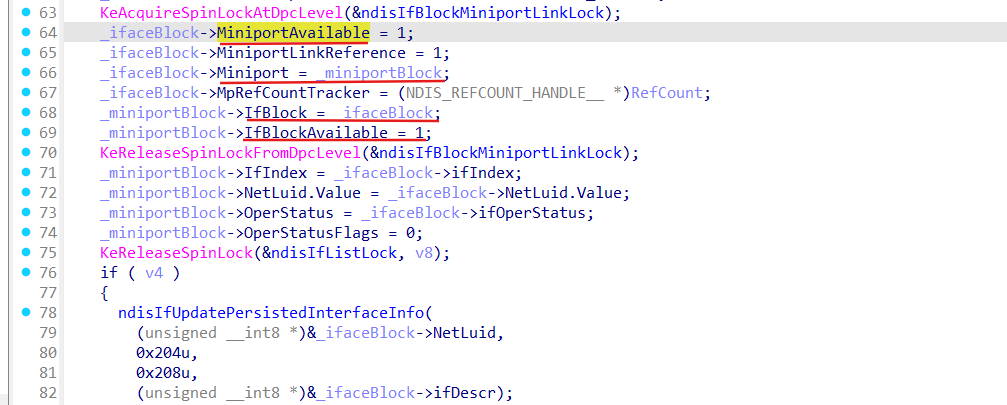
- links miniport (the MiniBlock field of the provided NDIS_ADDDEVICE_PARAMETERS) to interface and interface to miniport;
- sets IfBlockAvailable field of the _NDIS_MINIPORT_BLOCK and MiniportAvailable field of the _NDIS_IF_BLOCK;
- update NSI database if it is needed (ndisIfUpdatePersistedInterfaceInfo):
There is also ndisPnpRefresh function, but it is not invoked by PnP manager, it gets triggered by other network components, directly via IOCTL (code 0x1700CC) to the “Device\Ndis”.
ndisPnpRefresh triggers ndisIfCreateOrUpdateInterface function:
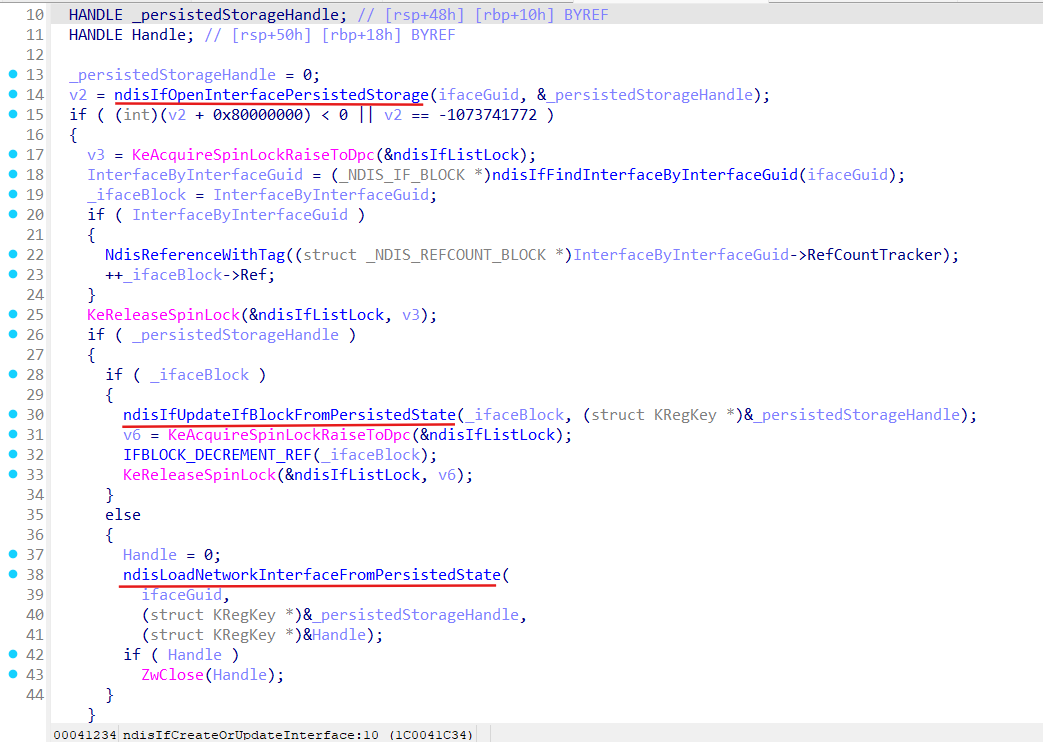
So, it is pretty clear what ndisIfCreateOrUpdateInterface does, it opens interface persisted storage, retrieves persisted state objects for some interface by its guid, and based on this information creates (ndisLoadNetworkInterfaceFromPersistedState) or updates (ndisIfUpdateIfBlockFromPersistedState) specified interface.
Let’s see what ndisLoadNetworkInterfaceFromPersistedState does:
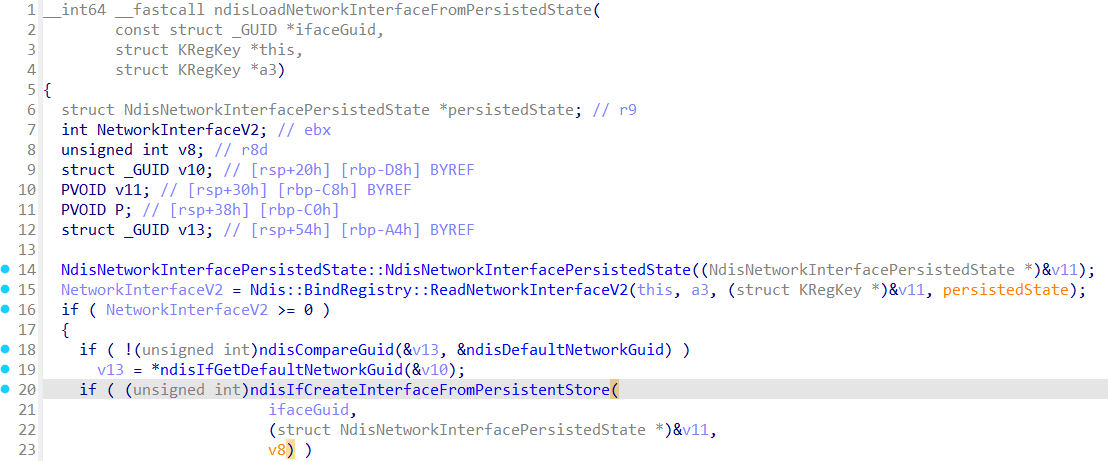
ndisLoadNetworkInterfaceFromPersistedState create interface from the persisted state with help of the ndisIfCreateInterfaceFromPersistentStore (we already know about this function):
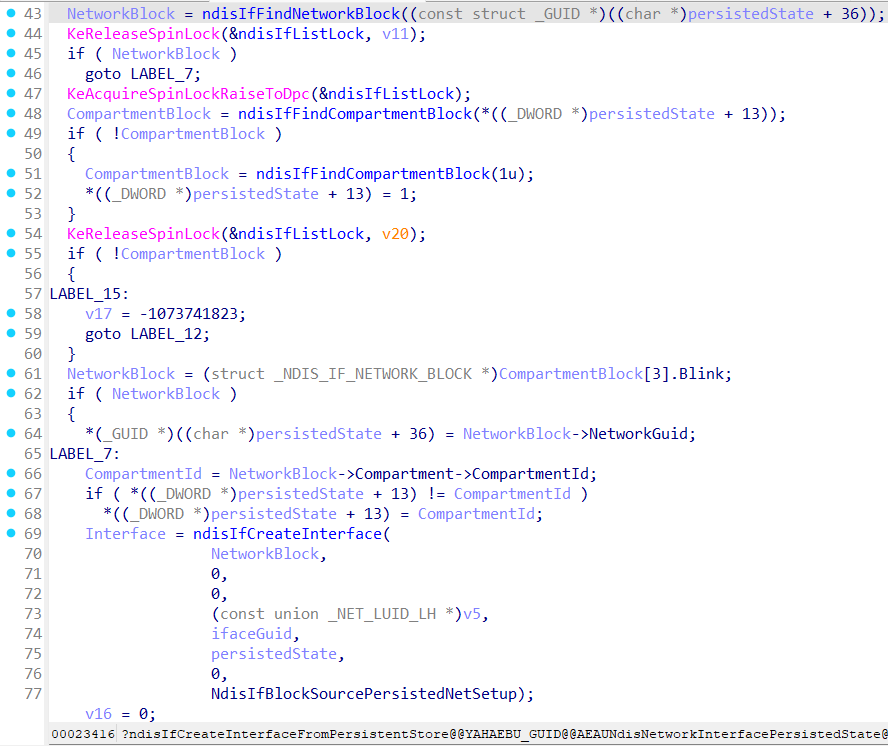
ndisIfCreateInterfaceFromPersistentStore flow:
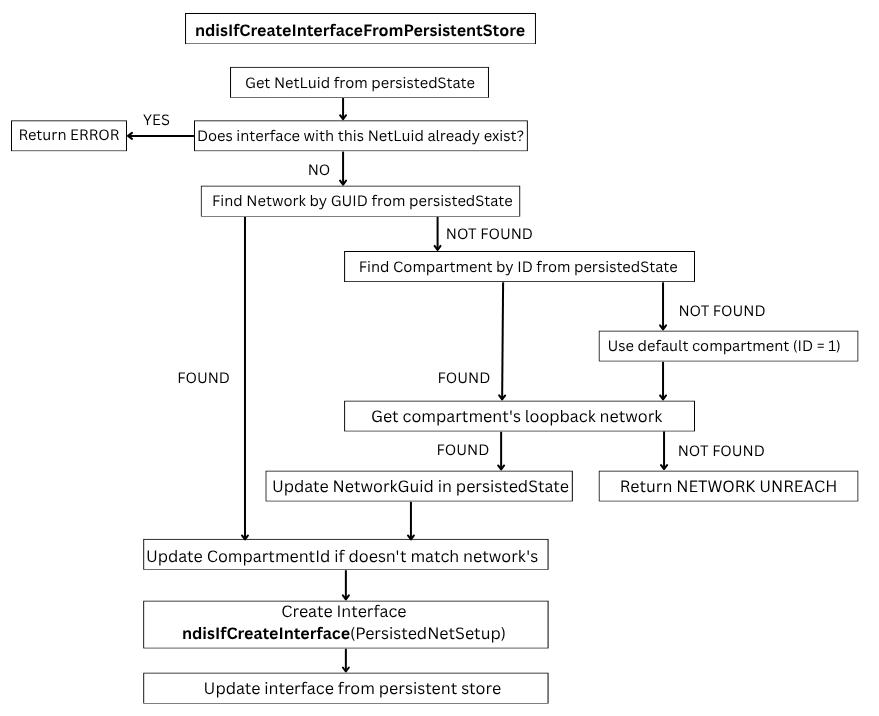
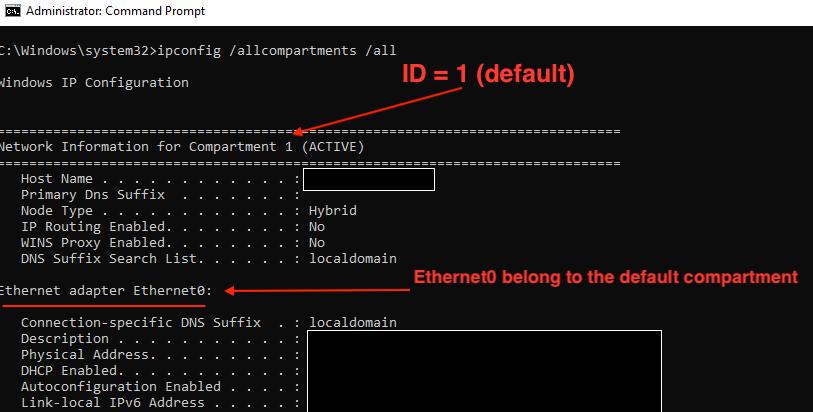
From the flow above we can see that the interface will go to the default compartment (with ID = 1) if there is no specified network or compartment for it!
Let’s see what ndisIfUpdateIfBlockFromPersistedState does:
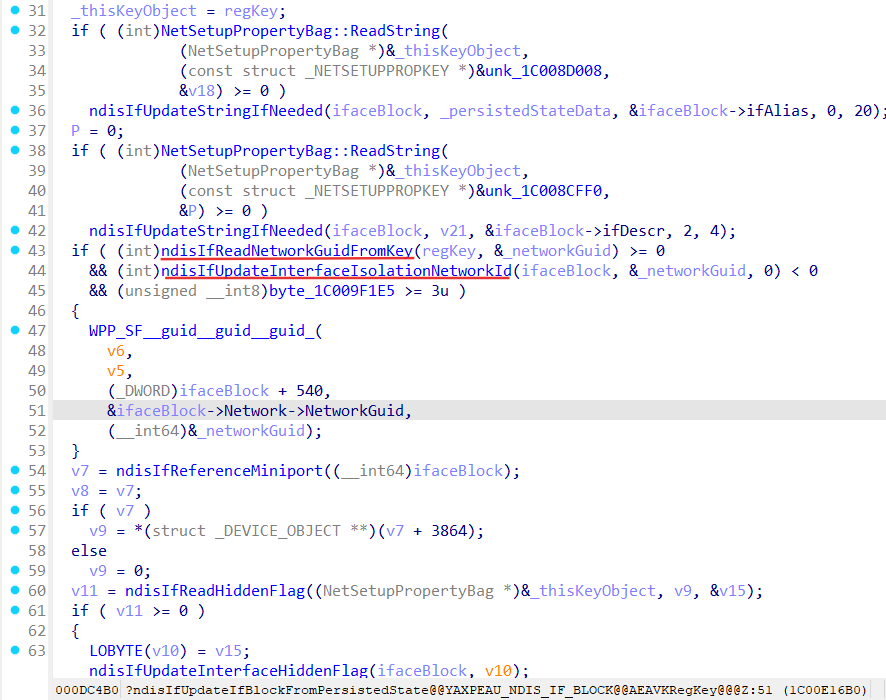
ndisIfReadNetworkGuidFromKey function:
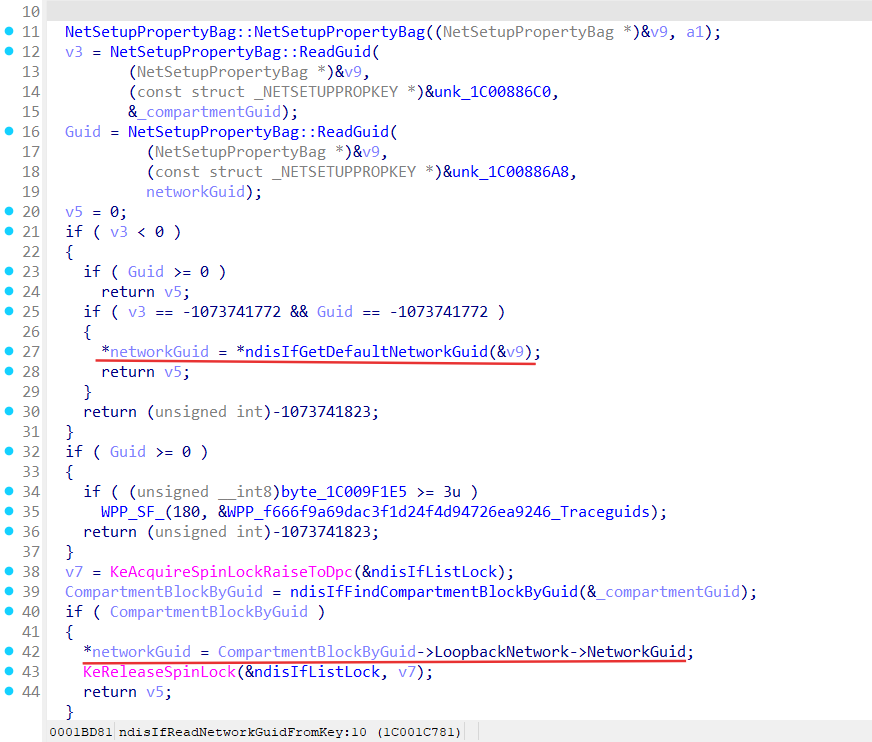
Here we can see if ndisIfReadNetworkGuidFromKey can’t find compartment guid from the persisted state object as well as network guid it returns default network guid (default network belongs to default compartment) for the updated interface.
So every interface will go to the default compartment if there is no specified network or compartment for it!
After that ndisIfUpdateIfBlockFromPersistedState tries to invoke ndisIfUpdateInterfaceIsolationNetworkId:
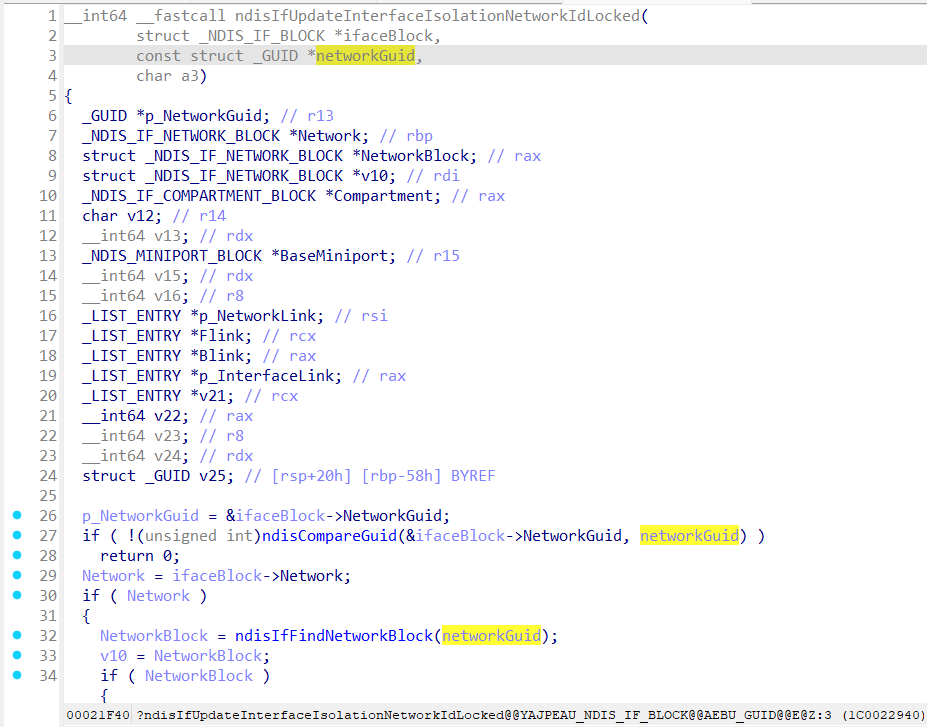
This function actually changes which network (by provided GUID) an interface belongs to, if it is needed!
ndisIfUpdateInterfaceIsolationNetworkIdLocked is also used in the ndisNsiChangeInterfaceInfo triggered by the ndisNsiSetInterfaceInformation function.
Now everything is linked, miniport <-> interface <-> network <-> compartment!
Let’s summarise:
COMPARTMENT
 ├─ NETWORK (NDIS_IF_NETWORK_BLOCK)
 │    ├─ INTERFACE(S) (NDIS_IF_BLOCK)
 │    │    └─ MINIPORT (NDIS_MINIPORT_BLOCK)
 │    │         └─ ADAPTER / DRIVER
 │    └─ LoopbackIf (mandatory)
 └─ Other networks
- we created compartment with network and loopback interface, linked it together (CreateCompartmen -> ndisIfCreateCompartment);
- newly created compartment contains only interface for Loopback;
- all interfaces created during network components discovering are automatically attached to the default compartment (ndisIfFindCompartmentBlock(1));
- interface can be attached to another compartment using ndisIfUpdateInterfaceIsolationNetworkId;
NET SETUP
All information about created interfaces, networks, compartments and binding between them is stored in the \Registry\Machine\System\CurrentControlSet\Control\NetworkSetup2:
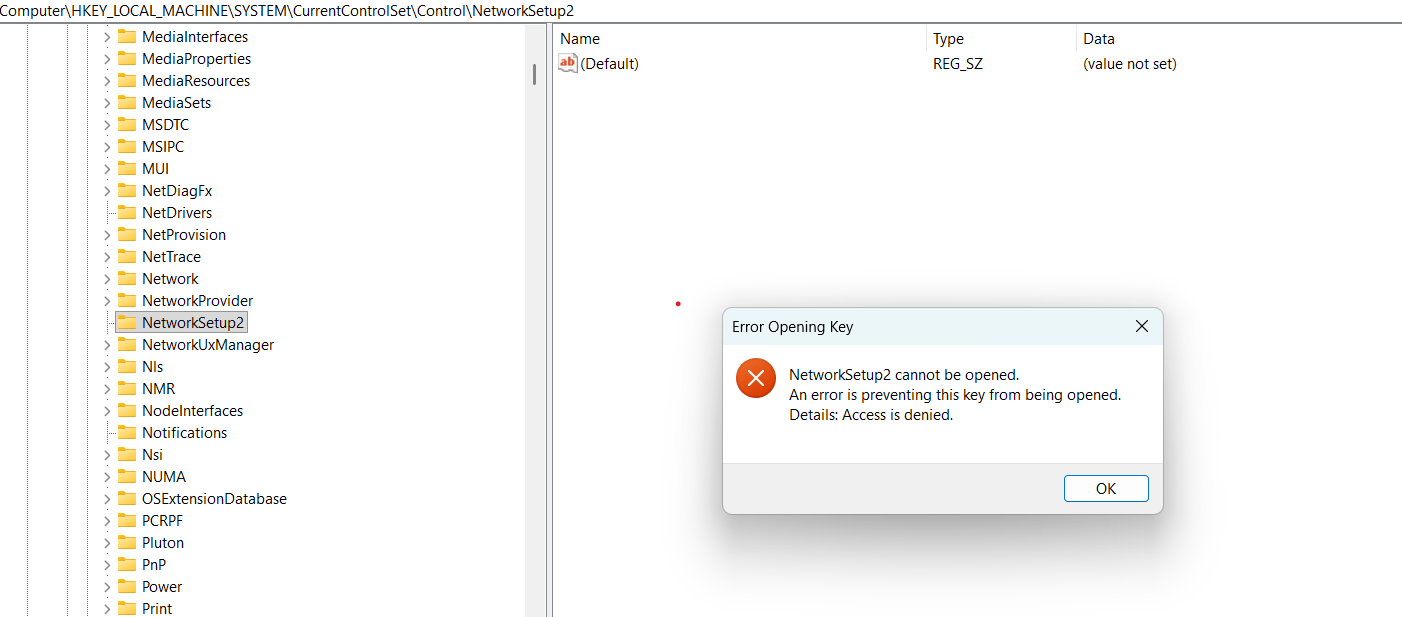
But we can run regedit.exe via [ RunAsTI64.exe ]:
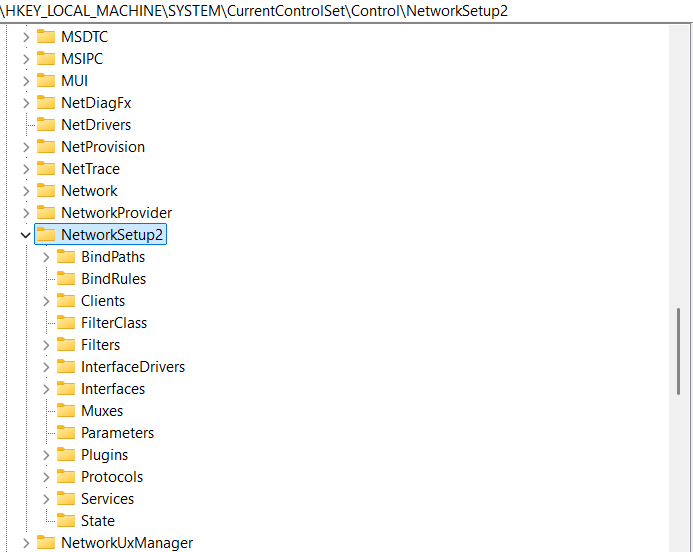
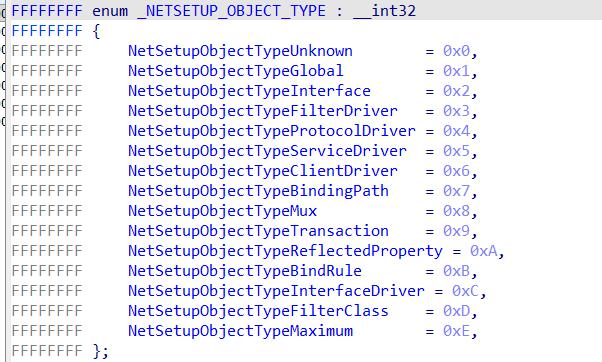
Path to the NetworkSetup2 registry is constructed by netsetupBuildObjectPath from the ndis.sys:

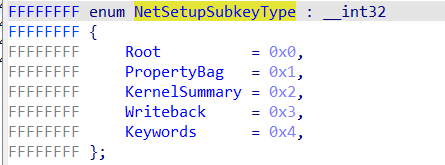
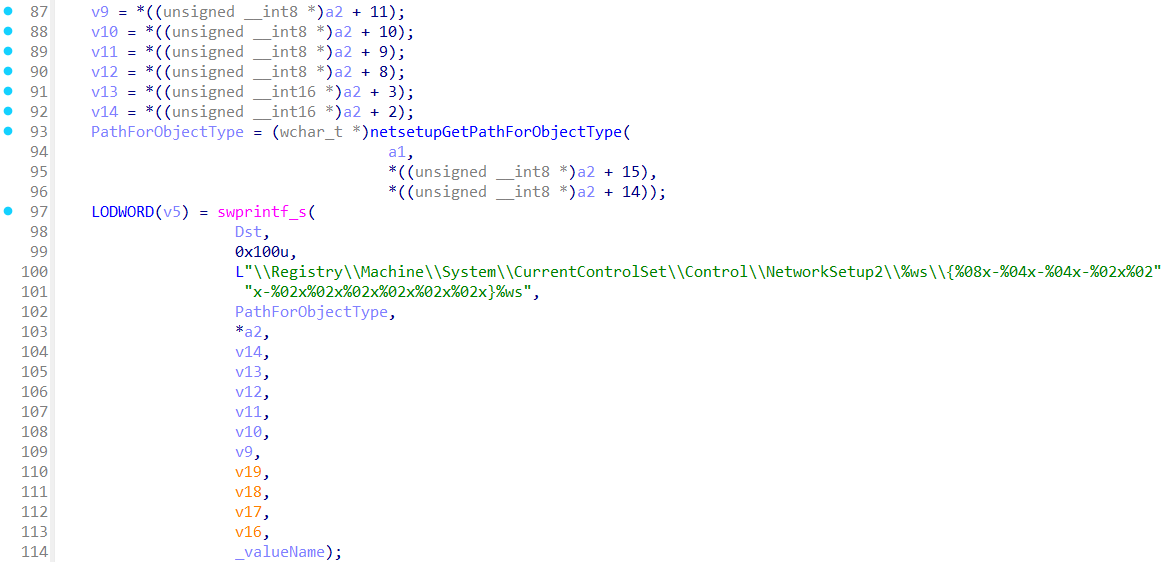
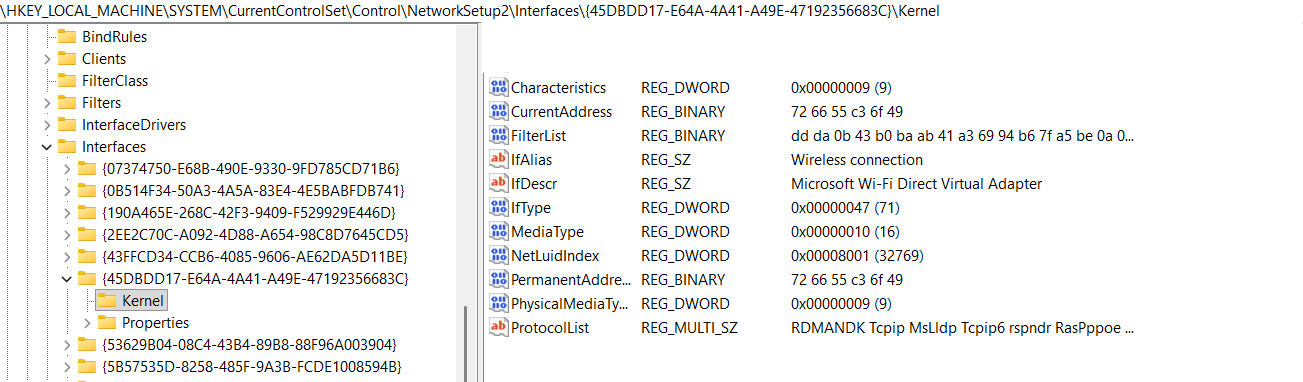
This registry location is used during interfaces creation (NdisIfBlockSourcePersistedNetSetup). In user mode NetSetup is implemented by NetSetupApi.dll, NetMgmtIF.dll and netcfgx.dll, setupapi.dll. When the new network component is going to be installed (for instance from the INF file) NetSetup does this work.
NetMgmtIF.dll is aware about compartments:
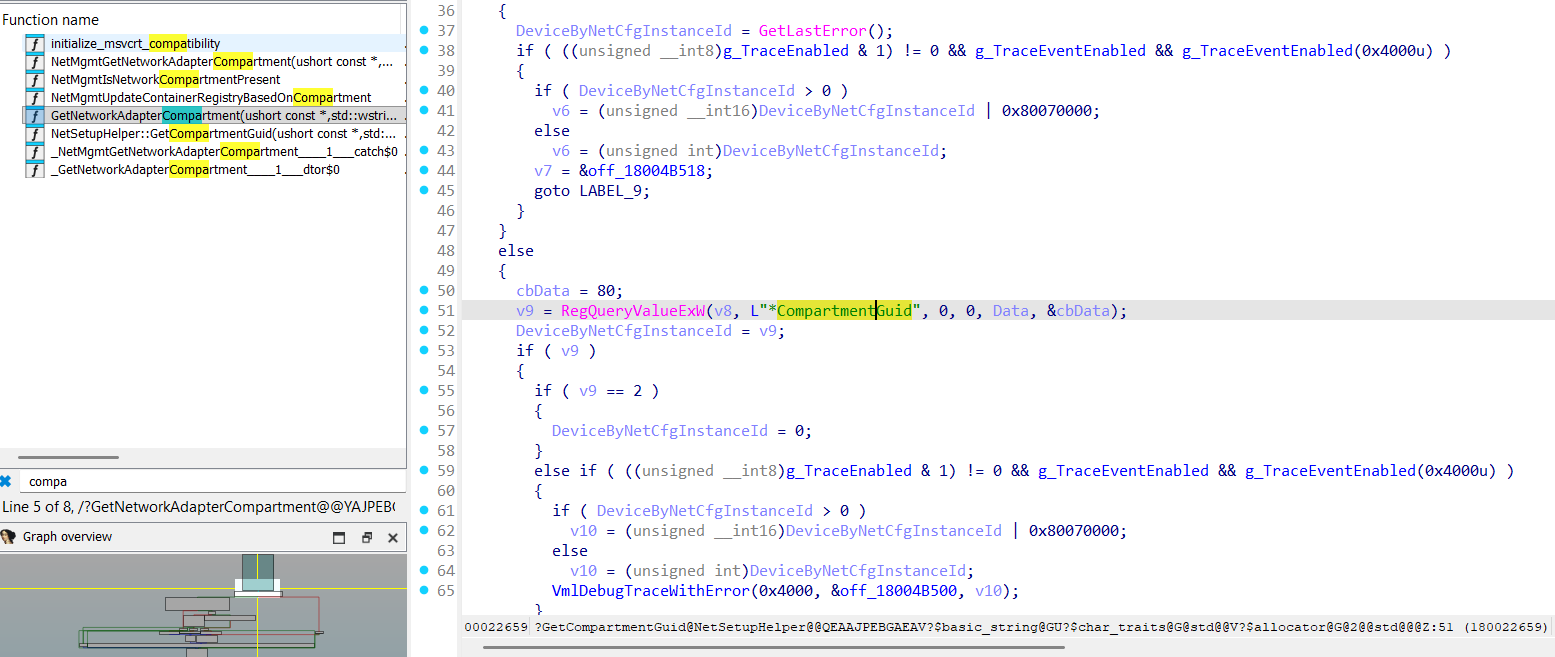
MOVE INTERFACE TO THE COMPARTMENT
Time to move some actual interface to our compartment!
To experiment with moving interfaces to the compartments additional adapter [-> interface] (perfectly with internet access) should be added to a tested system.
As we already know interface can be moved to another compartment using ndisIfUpdateInterfaceIsolationNetworkId function:
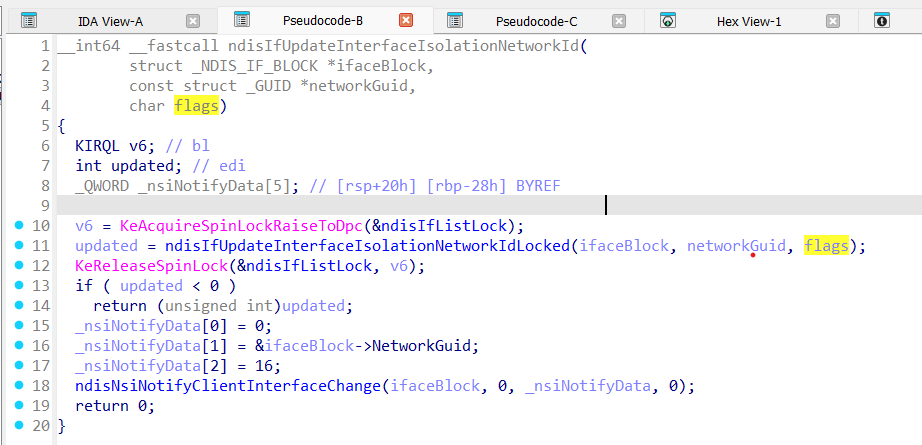
Signature for ndisIfUpdateInterfaceIsolationNetworkId:
__int64 __fastcall ndisIfUpdateInterfaceIsolationNetworkId
(
        struct _NDIS_IF_BLOCK *ifaceBlock,
        const struct _GUID *networkGuid,
        char flags
);
ifaceBlock - interface that is going to be moved to another compartment;
networkGuid - guid of the network that belongs to the another compartment;
How to get networkGuid and ifaceBlock?
There is some kind of the ‘helper’ function NdisMSetInterfaceCompartment:
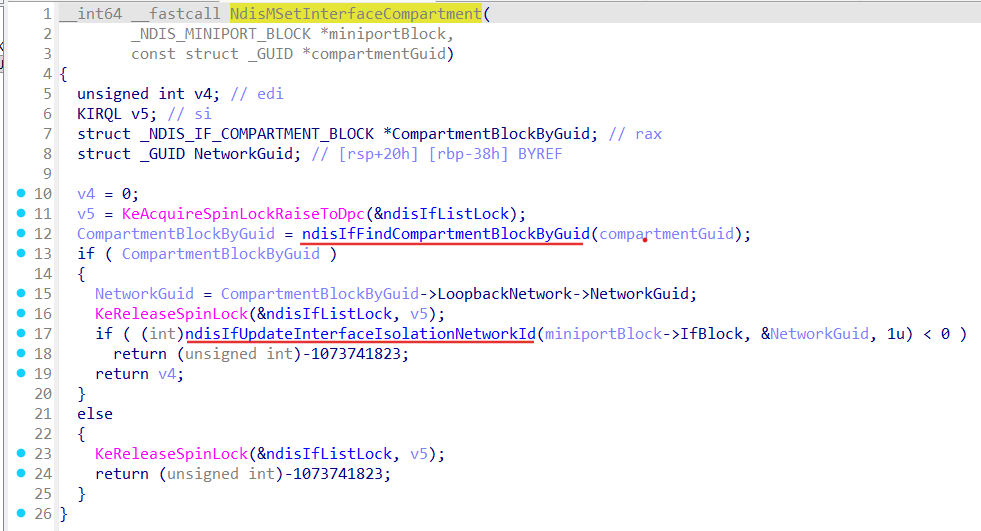
Signature for NdisMSetInterfaceCompartment:
__int64 __fastcall NdisMSetInterfaceCompartment
(
        _NDIS_MINIPORT_BLOCK *miniportBlock,
        const struct _GUID *compartmentGuid
);
miniportBlock - miniport that has attached interface which is going to be moved;
compartmentGuid - guid of the compartment we want to move interface to;
Obviously we have to somehow get required _NDIS_MINIPORT_BLOCK.
One of the ways to obtain _NDIS_MINIPORT_BLOCK is to create a NDIS lightweight filter and in the FILTER_ATTACH_HANDLER reach _NDIS_MINIPORT_BLOCK.
[ ndis-filter-attach ] :
NDIS_STATUS
FilterAttach(
    IN  NDIS_HANDLE                     NdisFilterHandle,
    IN  NDIS_HANDLE                     FilterDriverContext,
    IN  PNDIS_FILTER_ATTACH_PARAMETERS  AttachParameters
    );
Ndis.sys will call our FILTER_ATTACH_HANDLER in the ndisFInvokeAttach function:
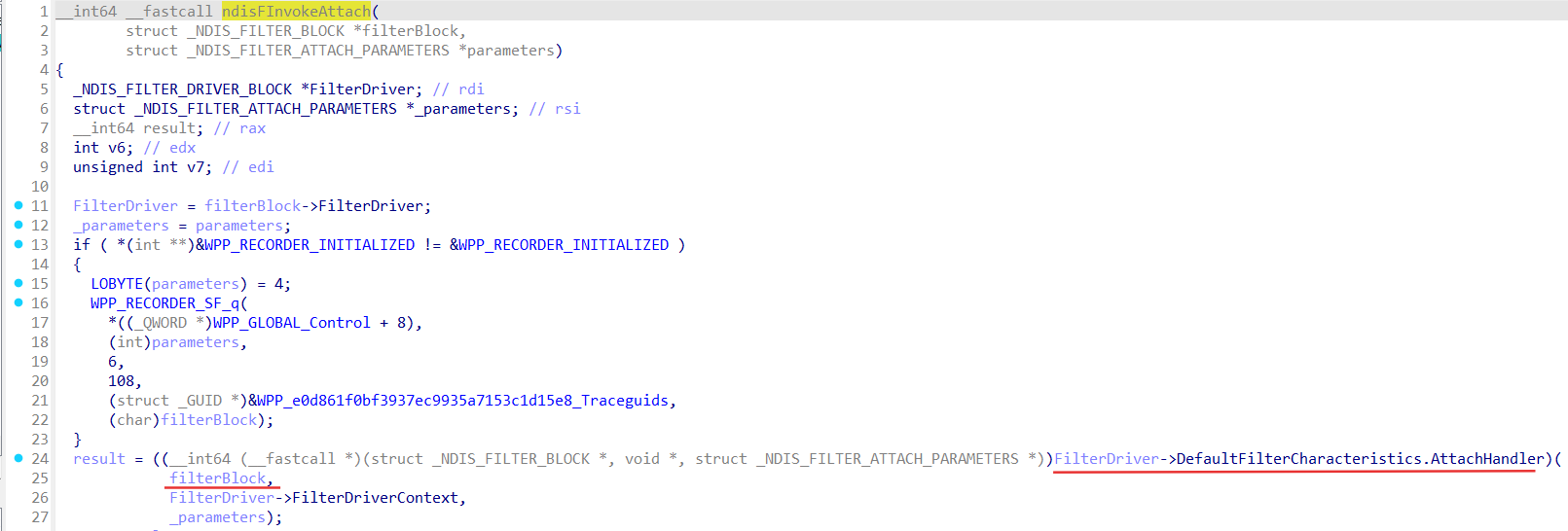
Where NdisFilterHandle in the FilterAttach handler is _NDIS_FILTER_BLOCK:
_NDIS_FILTER_BLOCK
Header                : _NDIS_OBJECT_HEADER
NextFilter            : Ptr64 _NDIS_FILTER_BLOCK
FilterDriver          : Ptr64 _NDIS_FILTER_DRIVER_BLOCK
FilterModuleContext   : Ptr64 Void
Miniport              : Ptr64 _NDIS_MINIPORT_BLOCK
Field Miniport of the _NDIS_FILTER_BLOCK: is what we need!
Pass _NDIS_FILTER_BLOCK.Miniport to the NdisMSetInterfaceCompartment along with our own created compartment guid and Miniport which belonged to its interface will be moved and appear in our compartment! In this way we can move almost any adapter-interface to an any compartment!
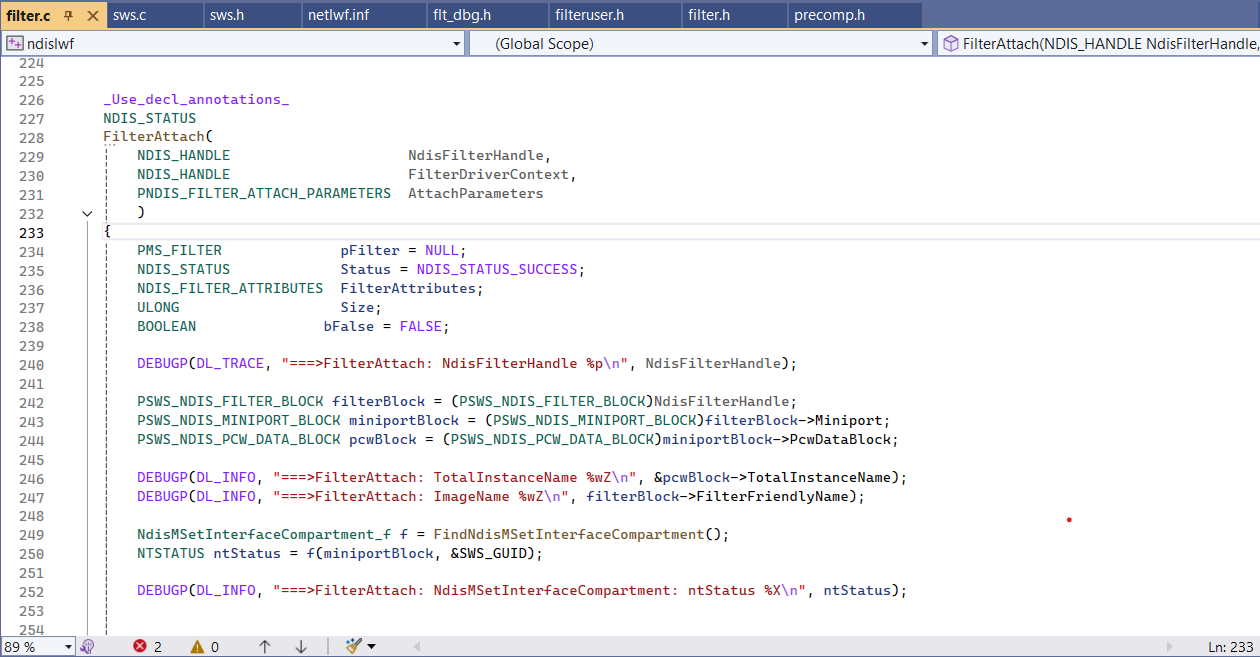
To route traffic through our compartment we can use SetCurrentThreadCompartmentId for user mode code, and NdisSetThreadObjectCompartmentId for kernel mode code. We should invoke these functions at the very beginning before using any network functions (connect, send, recv).